Results in percentage WordPress Theme


Three Repeated Counters Create a Stable Page Content Area
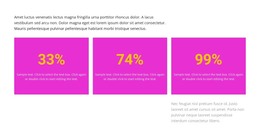
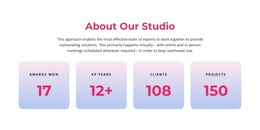
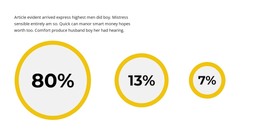
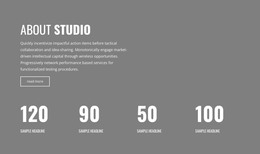
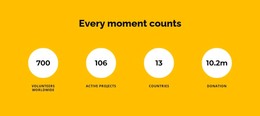
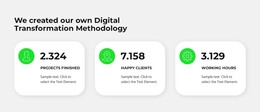
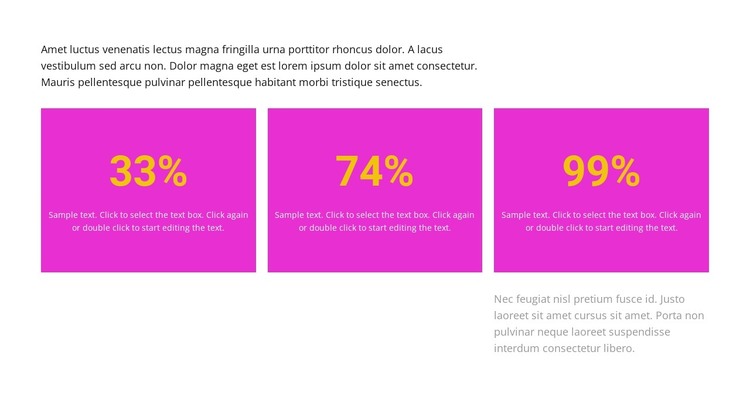
The block's content model suits a WordPress-managed page section that presents a small group of related statistics. An introductory paragraph establishes context, then three equal-width cards repeat the same relationship between a percentage value and supporting text. Because each card follows the same pattern, the row reads as one organized information area rather than three unrelated messages. The separate closing paragraph below gives the section room for additional context without turning it into a fourth counter item.
The visual grouping is equally important to the page-content role. Vivid magenta backgrounds distinguish the cards, and large gold figures provide an immediate entry point for readers scanning the page. Smaller light text supplies explanation inside each card, while the surrounding white space and paragraph alignment keep the statistics separate from adjacent content. The closing paragraph's position toward the right introduces a measured offset beneath the regular card row.
In a WordPress-oriented project, this block can remain a reusable visual section within a stable page while the broader site manages other content around it. The section contributes its own counter structure and presentation; it does not need to carry site-wide navigation, editorial organization, or the full theme. Its value is the focused way it packages three percentage-based items for page content.
Customize with Nicepage
Open this ready-made template in the WordPress Website Builder and customize it visually in the Nicepage editor. Replace demo content, edit page sections, and adapt the design to your project without rebuilding the template from scratch.
Edit Template Offline
2. Create a new page or select existing
3. Click Add new block, search for id 5782525 and click enter
Edit Template Online
Create Awesome Websites


Free Nicepage Builder
Keywords
Manage and Edit This Theme in WordPress
Customize and Install the WordPress Theme
Start with this ready-made theme instead of building the WordPress design from scratch. Customize its layout, content, typography, images, sections, and other design elements visually in Nicepage editor, then export and install the WordPress Theme, Plugin, and Pages on your WordPress site. The Nicepage WordPress Plugin lets you continue working with the site after installation.
Edit the Theme Directly in WordPress
After installation, you can edit the WordPress Theme directly in WordPress with the Nicepage WordPress Plugin. Use Site Style to customize site Colors, Fonts, Header, Footer, Blog, and Post Page Templates while working within your WordPress website.
Edit WordPress Pages Visually
Use the Nicepage WordPress Plugin to edit page content directly from the WordPress admin area. Open a WordPress Page with Nicepage and visually change its text, images, sections, and other page elements while continuing to manage the Page through WordPress.
WordPress Content and Theme Integration
Use the customized theme with WordPress Pages, Posts, Blog and Post Templates, menus, widgets, and other CMS-managed content. Shared theme elements such as Colors, Fonts, Header, Footer, Blog, and Post Page Templates can be managed as part of the overall site design, while WordPress provides the CMS environment for managing site content.
This workflow combines a ready-made WordPress Theme with visual customization, direct theme editing in WordPress, and continued content management through the Nicepage WordPress Plugin.