Four reasons WordPress Theme


Stable benefit content with a separate strategy panel
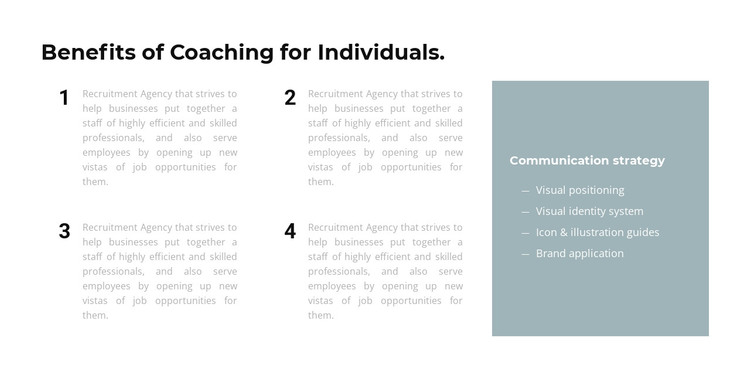
The heading “Benefits of Coaching for Individuals.” gives this section a clear page-content focus. Four numbered items follow in a two-by-two arrangement, and each item includes an explanatory paragraph. For a WordPress-managed page, that repeated structure can hold stable benefits or feature information without requiring the points to be treated as a blog sequence. The numbers distinguish the individual ideas, while the shared spacing and typography preserve their relationship as one content group.
The right side adds a different kind of information through the “Communication strategy” panel. Its muted blue-gray fill and light text frame four labeled entries: Visual positioning, Visual identity system, Icon & illustration guides, and Brand application. Rather than extending the numbered sequence, this panel works as a compact supporting reference beside it. That separation lets the left side explain the main benefits while the panel groups related strategy terminology in a visually prominent but bounded area.
Within a WordPress-oriented project, the section can serve as permanent page content for a coaching or feature-focused area, while other CMS-managed content surrounds it. Nicepage’s WordPress workflow can support the broader project context. The reusable contribution here remains the two-column content relationship, four explanatory benefit items, and four-entry strategy panel.
Customize with Nicepage
Open this ready-made template in the WordPress Website Builder and customize it visually in the Nicepage editor. Replace demo content, edit page sections, and adapt the design to your project without rebuilding the template from scratch.
Edit Template Offline
2. Create a new page or select existing
3. Click Add new block, search for id 660288 and click enter
Edit Template Online
Create Awesome Websites


Free Nicepage Builder
Keywords
Manage and Edit This Theme in WordPress
Customize and Install the WordPress Theme
Start with this ready-made theme instead of building the WordPress design from scratch. Customize its layout, content, typography, images, sections, and other design elements visually in Nicepage editor, then export and install the WordPress Theme, Plugin, and Pages on your WordPress site. The Nicepage WordPress Plugin lets you continue working with the site after installation.
Edit the Theme Directly in WordPress
After installation, you can edit the WordPress Theme directly in WordPress with the Nicepage WordPress Plugin. Use Site Style to customize site Colors, Fonts, Header, Footer, Blog, and Post Page Templates while working within your WordPress website.
Edit WordPress Pages Visually
Use the Nicepage WordPress Plugin to edit page content directly from the WordPress admin area. Open a WordPress Page with Nicepage and visually change its text, images, sections, and other page elements while continuing to manage the Page through WordPress.
WordPress Content and Theme Integration
Use the customized theme with WordPress Pages, Posts, Blog and Post Templates, menus, widgets, and other CMS-managed content. Shared theme elements such as Colors, Fonts, Header, Footer, Blog, and Post Page Templates can be managed as part of the overall site design, while WordPress provides the CMS environment for managing site content.
This workflow combines a ready-made WordPress Theme with visual customization, direct theme editing in WordPress, and continued content management through the Nicepage WordPress Plugin.