A strategic brand and design consultancy WordPress Theme


Rounded Counter Cards as Stable WordPress Page Content
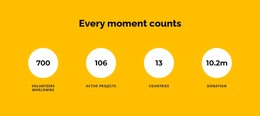
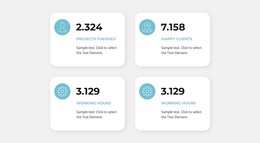
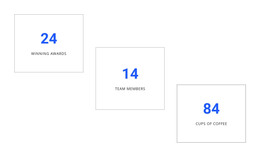
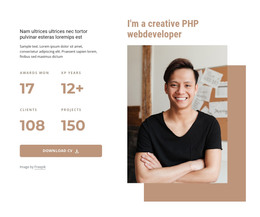
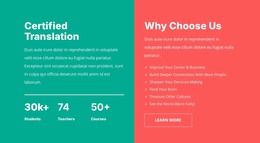
The section's four repeated cards read naturally as stable page content in a WordPress-managed site. Arranged in a two-by-two group, they create a compact area for related categories such as awards, experience, clients, or projects without requiring a long explanatory passage. Each card uses the same rounded white surface, centered uppercase label, and large cyan value, so the reader can compare the categories through a consistent visual rhythm.
The decorative layer changes how that information is presented. Abstract gradient forms in cyan, pink, blue, purple, and yellow surround the cards and give the section a playful geometric character, while the white background and generous spacing preserve clarity. The static interaction means the content is immediately visible rather than revealed through a carousel, tab, or expandable control. The visual hierarchy therefore comes from repetition, contrast, and the separation between cards and background shapes.
Within WordPress-oriented page content, this block can remain a recognizable statistics section while other managed content handles fuller explanations, articles, or related page areas. Its self-contained arrangement makes it suitable for a permanent experience or accomplishment summary, but the surrounding project still supplies the broader page and theme context. The block contributes one focused content region rather than functioning as a complete WordPress Theme.
Customize with Nicepage
Open this ready-made template in the WordPress Website Builder and customize it visually in the Nicepage editor. Replace demo content, edit page sections, and adapt the design to your project without rebuilding the template from scratch.
Edit Template Offline
2. Create a new page or select existing
3. Click Add new block, search for id 2328057 and click enter
Edit Template Online
Create Awesome Websites


Free Nicepage Builder
Keywords
Manage and Edit This Theme in WordPress
Customize and Install the WordPress Theme
Start with this ready-made theme instead of building the WordPress design from scratch. Customize its layout, content, typography, images, sections, and other design elements visually in Nicepage editor, then export and install the WordPress Theme, Plugin, and Pages on your WordPress site. The Nicepage WordPress Plugin lets you continue working with the site after installation.
Edit the Theme Directly in WordPress
After installation, you can edit the WordPress Theme directly in WordPress with the Nicepage WordPress Plugin. Use Site Style to customize site Colors, Fonts, Header, Footer, Blog, and Post Page Templates while working within your WordPress website.
Edit WordPress Pages Visually
Use the Nicepage WordPress Plugin to edit page content directly from the WordPress admin area. Open a WordPress Page with Nicepage and visually change its text, images, sections, and other page elements while continuing to manage the Page through WordPress.
WordPress Content and Theme Integration
Use the customized theme with WordPress Pages, Posts, Blog and Post Templates, menus, widgets, and other CMS-managed content. Shared theme elements such as Colors, Fonts, Header, Footer, Blog, and Post Page Templates can be managed as part of the overall site design, while WordPress provides the CMS environment for managing site content.
This workflow combines a ready-made WordPress Theme with visual customization, direct theme editing in WordPress, and continued content management through the Nicepage WordPress Plugin.