We consult and train in 3 critical areas of business WordPress Theme


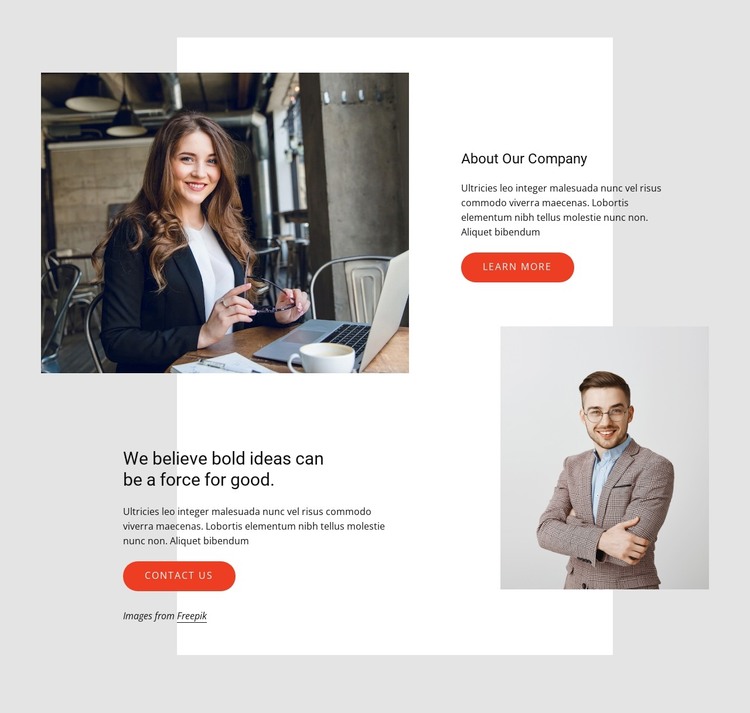
Company Information Is Split Into Two Publishable Content Areas
The upper-right company panel and lower-left statement panel give the block two complementary content roles. “About Our Company” can carry stable background information, while “We believe bold ideas can be a force for good.” introduces the section’s guiding perspective. Each area is supported by a paragraph, creating a readable division between company introduction and principle-led messaging rather than treating the content as one undifferentiated article.
Two portrait photographs overlap the white rectangular backdrop and connect the text areas visually. The light gray outer background, generous whitespace, and clear black heading hierarchy keep the arrangement open even though the images and panels occupy different positions. In a WordPress-managed page, this structure fits permanent company or about content that can remain visually consistent while the wider site adds other pages and regularly maintained material around it.
The two rounded coral-red buttons make the section more useful as page content. “learn more” can point toward fuller company information, whereas “Contact us” can direct visitors to a separate contact area or inquiry path. These actions do not turn the block into a complete page; they simply give the content region recognizable continuation points. The result is a visually distinctive WordPress-oriented section for presenting company identity, a guiding statement, supporting imagery, and next-step links within a broader theme context.
Customize with Nicepage
Open this ready-made template in the WordPress Website Builder and customize it visually in the Nicepage editor. Replace demo content, edit page sections, and adapt the design to your project without rebuilding the template from scratch.
Edit Template Offline
2. Create a new page or select existing
3. Click Add new block, search for id 2315810 and click enter
Edit Template Online
Create Awesome Websites


Free Nicepage Builder
Keywords
Manage and Edit This Theme in WordPress
Customize and Install the WordPress Theme
Start with this ready-made theme instead of building the WordPress design from scratch. Customize its layout, content, typography, images, sections, and other design elements visually in Nicepage editor, then export and install the WordPress Theme, Plugin, and Pages on your WordPress site. The Nicepage WordPress Plugin lets you continue working with the site after installation.
Edit the Theme Directly in WordPress
After installation, you can edit the WordPress Theme directly in WordPress with the Nicepage WordPress Plugin. Use Site Style to customize site Colors, Fonts, Header, Footer, Blog, and Post Page Templates while working within your WordPress website.
Edit WordPress Pages Visually
Use the Nicepage WordPress Plugin to edit page content directly from the WordPress admin area. Open a WordPress Page with Nicepage and visually change its text, images, sections, and other page elements while continuing to manage the Page through WordPress.
WordPress Content and Theme Integration
Use the customized theme with WordPress Pages, Posts, Blog and Post Templates, menus, widgets, and other CMS-managed content. Shared theme elements such as Colors, Fonts, Header, Footer, Blog, and Post Page Templates can be managed as part of the overall site design, while WordPress provides the CMS environment for managing site content.
This workflow combines a ready-made WordPress Theme with visual customization, direct theme editing in WordPress, and continued content management through the Nicepage WordPress Plugin.