Self-drive vacations WordPress Theme


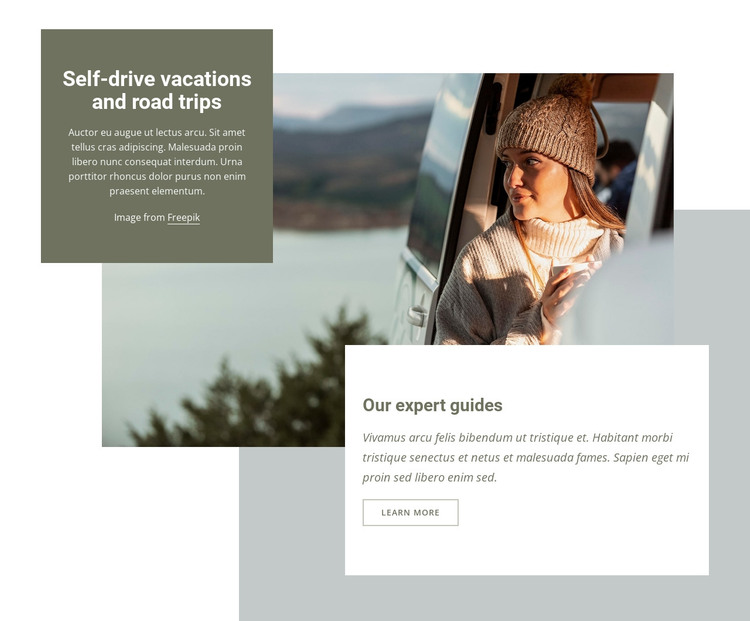
The offering and guide panels create stable travel page content
The section’s content is suited to a stable travel information area: the upper panel names the self-drive vacation and road-trip offering, while the lower panel adds a separate guide-oriented explanation and a Learn More button. A large photograph of a traveler inside a vehicle near a landscape connects those messages visually, but the two rectangular panels preserve their distinct reading order. The centered white text above contrasts with the left-aligned dark text in the lower white panel, making the content easy to scan as one composed section.
In a WordPress-managed page, this block can serve as reusable services or offering content rather than time-sensitive editorial material. It could introduce the travel company’s self-drive concept while other page content handles itineraries, destinations, testimonials, or contact details. The section’s value lies in its stable combination of subject heading, guide information, image context, and a Learn More route; it does not need to become a full theme or contain the wider site structure. The restrained olive, blue-gray, white, and pale gray palette can also sit alongside related page sections that use similar visual roles. Because the supporting paragraphs are generic filler copy, they can be replaced with project-specific travel information while preserving the established hierarchy and overlap between image and panels.
Customize with Nicepage
Open this ready-made template in the WordPress Website Builder and customize it visually in the Nicepage editor. Replace demo content, edit page sections, and adapt the design to your project without rebuilding the template from scratch.
Edit Template Offline
2. Create a new page or select existing
3. Click Add new block, search for id 222860 and click enter
Edit Template Online
Create Awesome Websites


Free Nicepage Builder
Keywords
Manage and Edit This Theme in WordPress
Customize and Install the WordPress Theme
Start with this ready-made theme instead of building the WordPress design from scratch. Customize its layout, content, typography, images, sections, and other design elements visually in Nicepage editor, then export and install the WordPress Theme, Plugin, and Pages on your WordPress site. The Nicepage WordPress Plugin lets you continue working with the site after installation.
Edit the Theme Directly in WordPress
After installation, you can edit the WordPress Theme directly in WordPress with the Nicepage WordPress Plugin. Use Site Style to customize site Colors, Fonts, Header, Footer, Blog, and Post Page Templates while working within your WordPress website.
Edit WordPress Pages Visually
Use the Nicepage WordPress Plugin to edit page content directly from the WordPress admin area. Open a WordPress Page with Nicepage and visually change its text, images, sections, and other page elements while continuing to manage the Page through WordPress.
WordPress Content and Theme Integration
Use the customized theme with WordPress Pages, Posts, Blog and Post Templates, menus, widgets, and other CMS-managed content. Shared theme elements such as Colors, Fonts, Header, Footer, Blog, and Post Page Templates can be managed as part of the overall site design, while WordPress provides the CMS environment for managing site content.
This workflow combines a ready-made WordPress Theme with visual customization, direct theme editing in WordPress, and continued content management through the Nicepage WordPress Plugin.