About WordPress Theme


Edit Template Offline
2. Create new page and search for id 1665387
Edit Template Online
Create Awesome Websites


Free Nicepage Builder
Keywords
Capability Cards That Lead Into Reusable Business Content
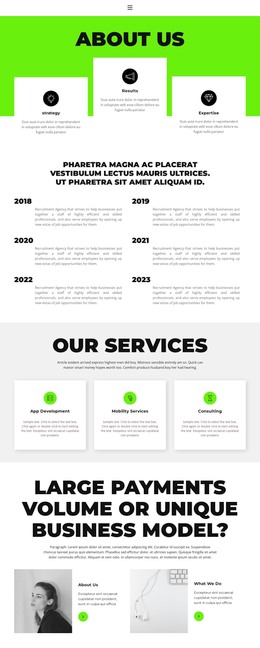
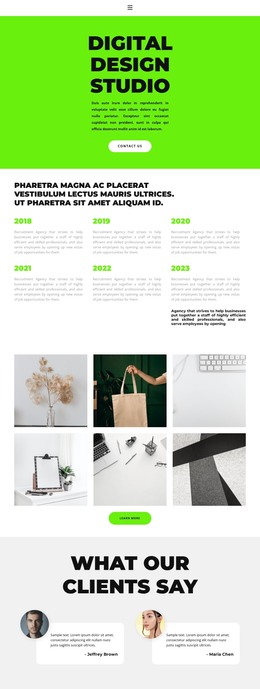
Strategy, Results, and Expertise establish the page’s first content layer as three concise capability cards. The six dated entries that follow, covering 2018 through 2023, introduce a separate historical sequence that can support background or organizational storytelling. Because the timeline and capability cards have different roles, they can remain distinct when the design is used with page-oriented content and later expanded with additional business information.
The three service cards provide another clear content group: App Development, Mobility Services, and Consulting. Their equal treatment makes the offerings easy to present as related areas while preserving separate descriptions. The alternating image and text panels then broaden the profile through About Us and What We Do content. Overview, Founder, and Mission tabs provide a compact structure for supplementary information, which is useful when a WordPress page needs to hold several related explanations without turning every detail into a separate visible block.
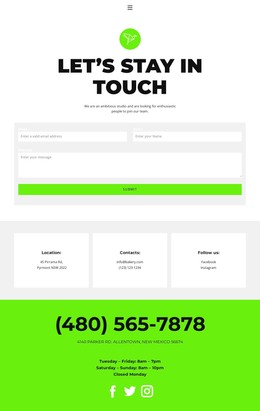
The dark strip containing four partner logos adds a recognizable shared-site element before the closing interaction. At the bottom, the contact form collects a name, email, and message, creating a practical route from organizational information to an inquiry. In a WordPress theme context, these permanent page areas can remain part of the design while other site content, such as future updates or supporting pages, follows the same visual direction.
Customize with Nicepage
Open this ready-made template in the WordPress Website Builder and customize it visually in the Nicepage editor. Replace demo content, edit page sections, and adapt the design to your project without rebuilding the template from scratch.
Manage and Edit This Theme in WordPress
Customize and Install the WordPress Theme
Start with this ready-made theme instead of building the WordPress design from scratch. Customize its layout, content, typography, images, sections, and other design elements visually in Nicepage editor, then export and install the WordPress Theme, Plugin, and Pages on your WordPress site. The Nicepage WordPress Plugin lets you continue working with the site after installation.
Edit the Theme Directly in WordPress
After installation, you can edit the WordPress Theme directly in WordPress with the Nicepage WordPress Plugin. Use Site Style to customize site Colors, Fonts, Header, Footer, Blog, and Post Page Templates while working within your WordPress website.
Edit WordPress Pages Visually
Use the Nicepage WordPress Plugin to edit page content directly from the WordPress admin area. Open a WordPress Page with Nicepage and visually change its text, images, sections, and other page elements while continuing to manage the Page through WordPress.
WordPress Content and Theme Integration
Use the customized theme with WordPress Pages, Posts, Blog and Post Templates, menus, widgets, and other CMS-managed content. Shared theme elements such as Colors, Fonts, Header, Footer, Blog, and Post Page Templates can be managed as part of the overall site design, while WordPress provides the CMS environment for managing site content.
This workflow combines a ready-made WordPress Theme with visual customization, direct theme editing in WordPress, and continued content management through the Nicepage WordPress Plugin.