Travel and Live Template


Edit Template Offline
2. Create new page and search for id 27423
Edit Template Online
Create Awesome Websites


Free Nicepage Builder
Keywords
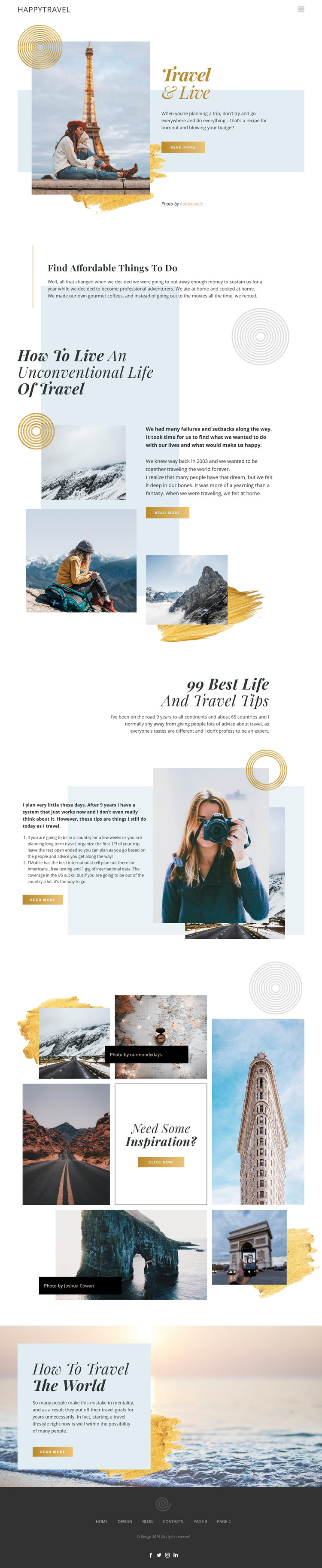
Affordable Travel Advice Meets Gallery-Led Editorial Storytelling
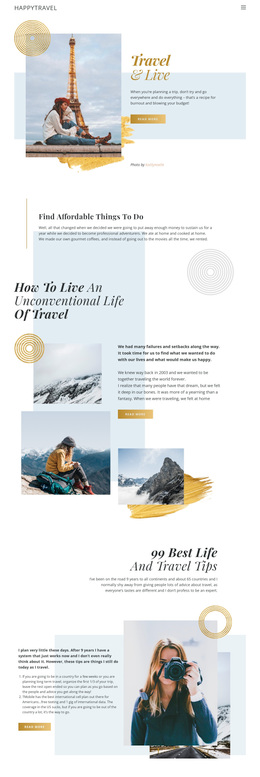
The design combines practical and aspirational travel content in a way that gives it a distinct place among ready-made page options. Find Affordable Things to Do introduces a budget-conscious angle through a concise advice section, while How to Live an Unconventional Life of Travel expands the subject into a personal lifestyle story surrounded by multiple photographs. The page therefore supports readers who want both useful ideas and a broader perspective on how travel can shape daily life.
Its strongest visual distinction comes from the relationship between editorial text and photography. The 99 Best Life and Travel Tips section places numbered advice beside a prominent image, and the eight-image Need some Inspiration? gallery turns visual discovery into a central part of the page rather than a minor decoration. Layered photographs, circular motifs, pale blue panels, and asymmetrical whitespace maintain the same magazine-like character across these subjects. The closing travel-the-world callout gives the layout a final, memorable image-led statement, while the footer adds social destinations. This makes the template a useful choice for travel advice, lifestyle guidance, and inspirational content where photography and readable editorial sections should share equal importance.
Customize with Nicepage
Open this ready-made template in the Template Builder and customize it visually in the Nicepage editor. Replace demo content, edit page sections, and adapt the design to your project without rebuilding the template from scratch.
Start With a Ready-Made Template
Choose a Design for a New Page
Use a ready-made template as a starting point instead of creating every page from a blank canvas. When adding a new page in Nicepage, browse available designs, compare different layouts, and choose an option that already fits the general purpose and visual direction of your project.
Browse Different Page Designs
Explore Page Designs using search, thematic categories, Design Sets, and full-page previews. The collection includes layouts for different subjects and page purposes, making it easier to compare alternatives before selecting a design to customize.
Customize the Selected Template
After choosing a design, create the page and continue editing it visually in Nicepage. Replace the demo content, adjust images, typography, colors, sections, and other elements, and adapt the ready-made layout to your own content instead of rebuilding the design from the beginning.
Explore More Design Directions
If the first option does not match your project closely enough, return to the design collection and compare other templates before committing to a layout. This makes the template library useful not only for faster page creation, but also for exploring different visual approaches and finding a suitable starting point for a new project.
This workflow gives you access to a broad collection of ready-made designs that can be selected, compared, and customized according to the needs of each new page or project.