Wildlife Photos Template



Edit Template Offline
2. Create new page and search for id 26446
Edit Template Online
Create Awesome Websites


Free Nicepage Builder
Keywords
Layered wildlife imagery makes the design a strong editorial choice
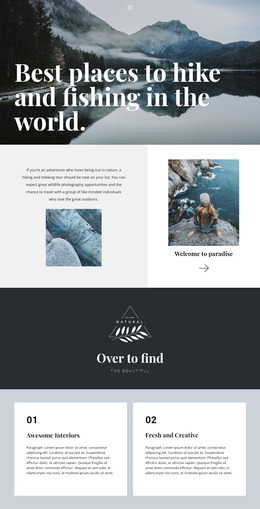
Large monochrome wildlife photographs carry much of the meaning in this design, while bold display typography and vivid yellow accents mark the important transitions. That combination makes Wildlife Photos a distinctive option for projects where visual storytelling should lead and explanatory text should support the images. The hero’s offset panels create an immediate editorial signature, and the same high-contrast language continues through the Africa photography feature and the later discovery sections.
The content coverage also separates this template from a layout focused only on a single gallery. It includes practical photography guidance, a Southern Africa Wildlife Guide, a second destination-oriented guide feature, an African Wildlife Photographers quiz invitation, and further reading about Africa’s top wildlife countries. The four-image supporting group adds a compact collection within the guide story, giving the page both a prominent lead image and a denser visual moment. Photographer credits appear throughout the presentation, reinforcing the relationship between subject, image, and editorial attribution without requiring unsupported claims about the credited individuals. This design is therefore especially suitable as a starting point for wildlife media, photography features, safari reading, or destination storytelling where image scale, contrast, and an unfolding editorial sequence matter more than a conventional business layout.
Customize with Nicepage
Open this ready-made template in the Template Builder and customize it visually in the Nicepage editor. Replace demo content, edit page sections, and adapt the design to your project without rebuilding the template from scratch.
Start With a Ready-Made Template
Choose a Design for a New Page
Use a ready-made template as a starting point instead of creating every page from a blank canvas. When adding a new page in Nicepage, browse available designs, compare different layouts, and choose an option that already fits the general purpose and visual direction of your project.
Browse Different Page Designs
Explore Page Designs using search, thematic categories, Design Sets, and full-page previews. The collection includes layouts for different subjects and page purposes, making it easier to compare alternatives before selecting a design to customize.
Customize the Selected Template
After choosing a design, create the page and continue editing it visually in Nicepage. Replace the demo content, adjust images, typography, colors, sections, and other elements, and adapt the ready-made layout to your own content instead of rebuilding the design from the beginning.
Explore More Design Directions
If the first option does not match your project closely enough, return to the design collection and compare other templates before committing to a layout. This makes the template library useful not only for faster page creation, but also for exploring different visual approaches and finding a suitable starting point for a new project.
This workflow gives you access to a broad collection of ready-made designs that can be selected, compared, and customized according to the needs of each new page or project.