Craft coffee in New York Template



Edit Template Offline
2. Create new page and search for id 2610259
Edit Template Online
Create Awesome Websites


Free Nicepage Builder
Keywords
Warm Photography Meets a Broad Dessert and Cafe Menu
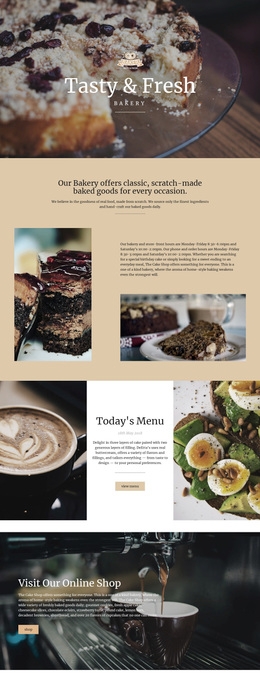
Large cafe photography carries much of the first impression, beginning with the “Unique Craft Cafe in NYC” hero and continuing through the food, beverage, and dessert imagery below. The design is worth considering when a cafe needs atmosphere and product discovery to work together rather than relying on dense explanatory copy. A dark translucent text card keeps the opening message readable, while the View Menu button gives that visual introduction a practical next step.
The content coverage is another distinguishing feature. Coffee & Cakes establishes the core offer, the four numbered cards summarize the cafe’s main categories, and six dessert tiles extend the range into sorbets, sundaes, smoothies, and drinks. The six Popular Dishes cards then make the selection more tangible through repeated combinations of images, names, prices, and purchase actions. This creates a progression from general cafe identity to specific items without changing the warm visual direction.
The Vegetarian Menu block adds a separate dietary emphasis, while the six-image gallery reinforces the dessert cafe character through compact visual storytelling. The Manhattan specialty highlight and final Contact Us area give the page a local reference and a direct inquiry point. Together, these relationships make the template a useful choice for projects that need menu categories, product presentation, food imagery, and contact content in one cohesive cafe design.
Customize with Nicepage
Open this ready-made template in the Template Builder and customize it visually in the Nicepage editor. Replace demo content, edit page sections, and adapt the design to your project without rebuilding the template from scratch.
Start With a Ready-Made Template
Choose a Design for a New Page
Use a ready-made template as a starting point instead of creating every page from a blank canvas. When adding a new page in Nicepage, browse available designs, compare different layouts, and choose an option that already fits the general purpose and visual direction of your project.
Browse Different Page Designs
Explore Page Designs using search, thematic categories, Design Sets, and full-page previews. The collection includes layouts for different subjects and page purposes, making it easier to compare alternatives before selecting a design to customize.
Customize the Selected Template
After choosing a design, create the page and continue editing it visually in Nicepage. Replace the demo content, adjust images, typography, colors, sections, and other elements, and adapt the ready-made layout to your own content instead of rebuilding the design from the beginning.
Explore More Design Directions
If the first option does not match your project closely enough, return to the design collection and compare other templates before committing to a layout. This makes the template library useful not only for faster page creation, but also for exploring different visual approaches and finding a suitable starting point for a new project.
This workflow gives you access to a broad collection of ready-made designs that can be selected, compared, and customized according to the needs of each new page or project.