Quality taxi service Joomla Template


Edit Template Offline
2. Create new page and search for id 348486
Edit Template Online
Create Awesome Websites


Free Nicepage Builder
Keywords
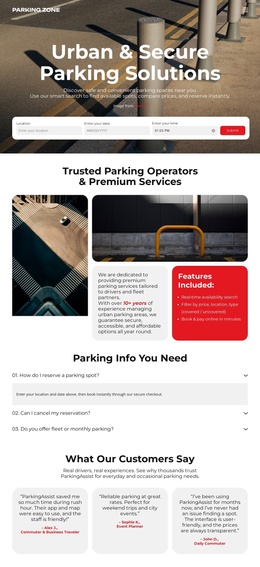
Service regions and contact areas suit structured taxi content
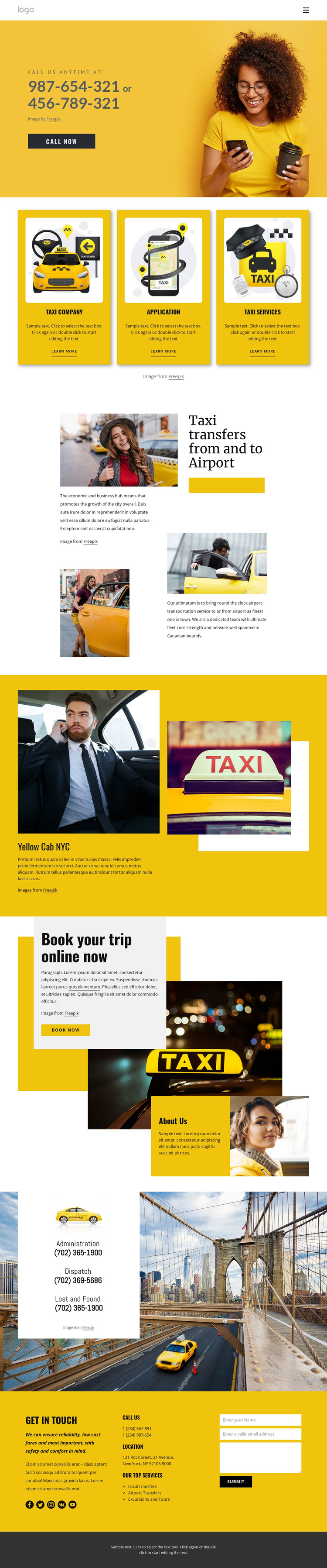
The three repeated service cards create an initial division between Taxi company, Application, and Taxi Services content. Their shared visual treatment suggests a consistent region for recurring informational items, while the later labels for Local transfers, Airport Transfers, and Excursions and Tours provide more specific service groupings. In a Joomla project, this distinction can help keep broad service categories visually separate from the detailed transportation offerings they introduce.
The header and the lower contact areas provide additional shared regions for site organization. The compact navigation header establishes the route into the page, and the dedicated contact card separates administration, dispatch, and lost-and-found information from the main service story. The final Get in touch section then brings together phone and location information, social links, service labels, and a contact form. This gives contact-related content a defined place rather than scattering it across the page.
The airport-transfer feature and Yellow Cab NYC section add editorial-style information between the service overview and the online-booking prompt. That sequence can support structured CMS content while retaining the design’s visual distinction between service explanations, booking emphasis, and contact response. Nicepage documentation confirms that a Joomla project can use a Joomla Extension to create and design Articles, but the template analysis itself does not claim that Joomla Articles already exist in this design.
Customize with Nicepage
Open this ready-made template in the Joomla Page Builder and customize it visually in the Nicepage editor. Replace demo content, edit page sections, and adapt the design to your project without rebuilding the template from scratch.
Work With This Template in Joomla
Customize and Install the Joomla Template
Start with this ready-made template instead of building the Joomla design from scratch. Customize its layout, content, typography, images, sections, and other design elements visually in the Nicepage application, then export and install the Joomla Template, Nicepage Extension, and supported content on your Joomla website.
Edit the Template Directly in Joomla
After installation, you can edit the Joomla Template directly in Joomla with the Nicepage Joomla Extension. Customize the Header, Footer, Colors, Fonts, typography, and Page Templates from the Joomla workflow while keeping the site design connected with your CMS content.
Edit Joomla Articles Visually
Use the Nicepage Joomla Extension to open and edit Joomla Articles visually from the Joomla Administrator. Change text, images, sections, layouts, and other page content in the Nicepage editor while continuing to manage the Articles through Joomla.
Joomla Content and Template Integration
Use the customized template together with Joomla Articles, module Positions, menus, forms, Blog Pages, and other supported CMS elements. With the Nicepage Extension used as the Site Style Source, shared design settings can be applied across Joomla Articles while Joomla continues to provide the CMS environment for managing site content.
This workflow combines a ready-made Joomla Template with visual customization, direct template editing in Joomla, and continued content management through the Nicepage Joomla Extension.