Transportation, shipping, receiving Joomla Template



Edit Template Offline
2. Create new page and search for id 2067939
Edit Template Online
Create Awesome Websites


Free Nicepage Builder
Keywords
Service, Team, and Contact Regions Form a Structured CMS Layout
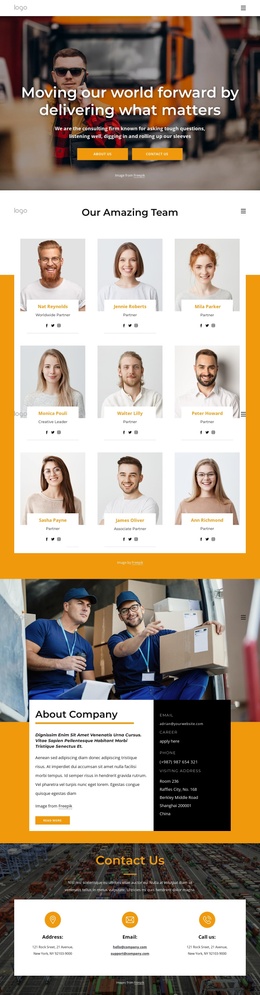
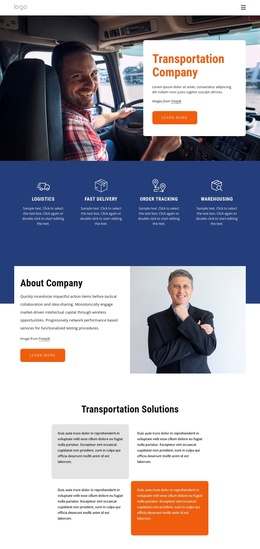
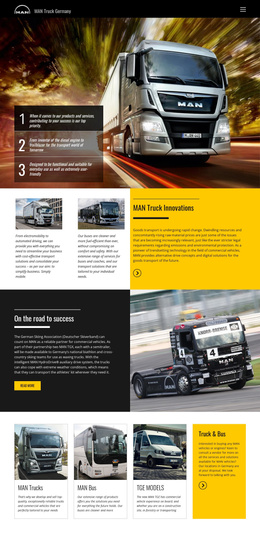
The four service highlights provide a natural first content region for a transportation company: logistics, fast delivery, order tracking, and warehousing are presented as separate items within one navy band. The About Company section then supplies a broader informational area, while four Transportation Solutions cards divide related explanations into compact, repeatable units. Together, these sections create clear editorial boundaries for structured company content without assuming that sample wording represents a real business.
The eight-profile Our People block introduces recurring profile content with role labels, and the values and mission areas provide separate spaces for company statements. The three audience pathway cards—Our Company, Carriers, and Logistics—can be understood as distinct navigation or content directions because each has its own image and Learn more link. Later, the expandable Facts & Questions section groups three questions in a compact information region, followed by a map and a contact block with phone, location, business hours, social links, and a form.
That division suits a Joomla-oriented site structure because services, profiles, questions, and contact information are not forced into one undifferentiated text area. A Joomla project can preserve the shared visual relationship between these regions while organizing the underlying company content through its CMS environment. The template therefore offers a coordinated presentation for structured transportation information rather than merely a decorative homepage.
Customize with Nicepage
Open this ready-made template in the Joomla Page Builder and customize it visually in the Nicepage editor. Replace demo content, edit page sections, and adapt the design to your project without rebuilding the template from scratch.
Work With This Template in Joomla
Customize and Install the Joomla Template
Start with this ready-made template instead of building the Joomla design from scratch. Customize its layout, content, typography, images, sections, and other design elements visually in the Nicepage application, then export and install the Joomla Template, Nicepage Extension, and supported content on your Joomla website.
Edit the Template Directly in Joomla
After installation, you can edit the Joomla Template directly in Joomla with the Nicepage Joomla Extension. Customize the Header, Footer, Colors, Fonts, typography, and Page Templates from the Joomla workflow while keeping the site design connected with your CMS content.
Edit Joomla Articles Visually
Use the Nicepage Joomla Extension to open and edit Joomla Articles visually from the Joomla Administrator. Change text, images, sections, layouts, and other page content in the Nicepage editor while continuing to manage the Articles through Joomla.
Joomla Content and Template Integration
Use the customized template together with Joomla Articles, module Positions, menus, forms, Blog Pages, and other supported CMS elements. With the Nicepage Extension used as the Site Style Source, shared design settings can be applied across Joomla Articles while Joomla continues to provide the CMS environment for managing site content.
This workflow combines a ready-made Joomla Template with visual customization, direct template editing in Joomla, and continued content management through the Nicepage Joomla Extension.