Volvo Joomla Template


Edit Template Offline
2. Create new page and search for id 19425
Edit Template Online
Create Awesome Websites


Free Nicepage Builder
Keywords
Vehicle Research and Dealer Content Divide into Structured Joomla Regions
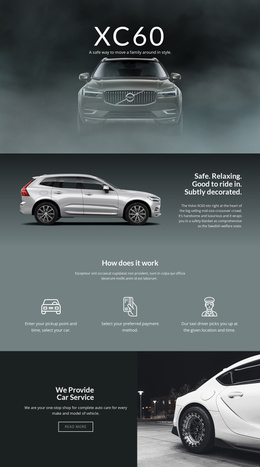
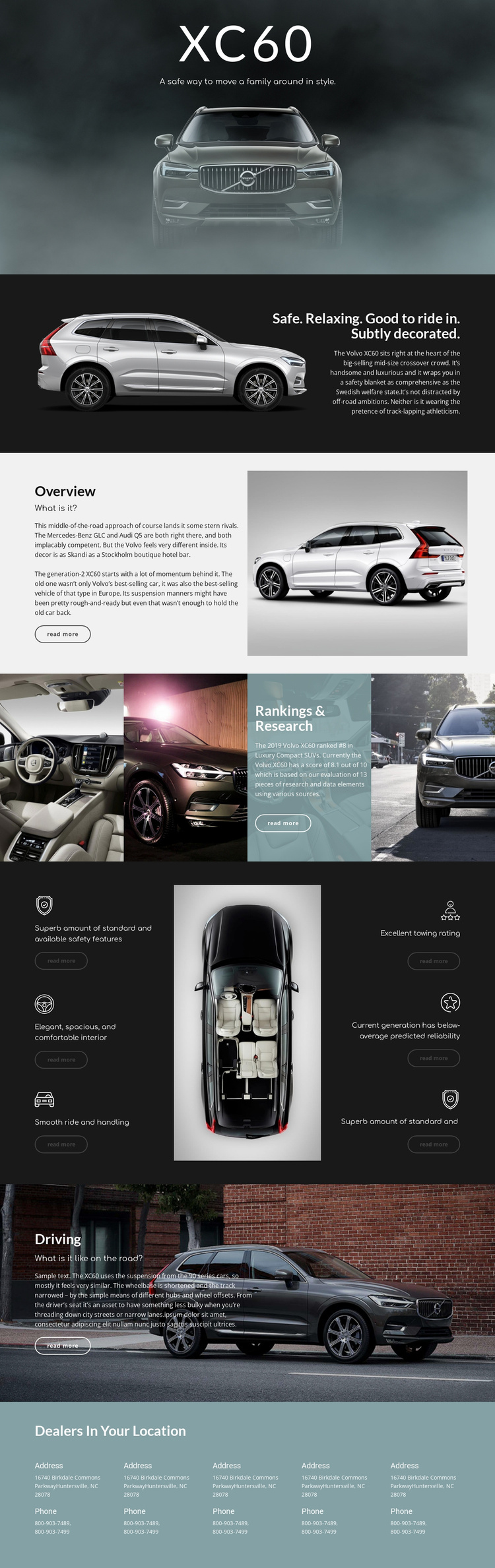
The XC60 design separates several kinds of information that a CMS-managed automotive site may need to present together. The Overview sections introduce the vehicle and its competitive context, while the Rankings & Research grid gathers four images around a focused research panel. The six repeated evaluation statements then divide the review into recognizable subjects: safety, interior comfort, ride and handling, towing, reliability, and an additional vehicle assessment. These are structured information areas rather than one uninterrupted block of editorial text.
The Driving section gives road experience its own focused region, and the final Dealers In Your Location block repeats five contact entries in a consistent column arrangement. That separation is useful when navigation and recurring site regions need to guide visitors between vehicle information and local dealer details. The design can therefore serve a Joomla project in which structured content areas are kept visually coordinated while the surrounding site grows around them. The relevant interpretation is not a claim that Joomla Articles or module positions already exist in the template. Instead, the real review sections, repeated evaluation items, dealer contacts, shared visual treatment, and read-more actions provide a practical content organization for a Joomla-managed automotive presentation.
Customize with Nicepage
Open this ready-made template in the Joomla Page Builder and customize it visually in the Nicepage editor. Replace demo content, edit page sections, and adapt the design to your project without rebuilding the template from scratch.
Work With This Template in Joomla
Customize and Install the Joomla Template
Start with this ready-made template instead of building the Joomla design from scratch. Customize its layout, content, typography, images, sections, and other design elements visually in the Nicepage application, then export and install the Joomla Template, Nicepage Extension, and supported content on your Joomla website.
Edit the Template Directly in Joomla
After installation, you can edit the Joomla Template directly in Joomla with the Nicepage Joomla Extension. Customize the Header, Footer, Colors, Fonts, typography, and Page Templates from the Joomla workflow while keeping the site design connected with your CMS content.
Edit Joomla Articles Visually
Use the Nicepage Joomla Extension to open and edit Joomla Articles visually from the Joomla Administrator. Change text, images, sections, layouts, and other page content in the Nicepage editor while continuing to manage the Articles through Joomla.
Joomla Content and Template Integration
Use the customized template together with Joomla Articles, module Positions, menus, forms, Blog Pages, and other supported CMS elements. With the Nicepage Extension used as the Site Style Source, shared design settings can be applied across Joomla Articles while Joomla continues to provide the CMS environment for managing site content.
This workflow combines a ready-made Joomla Template with visual customization, direct template editing in Joomla, and continued content management through the Nicepage Joomla Extension.