Luxury travel style WordPress Theme


A Stable Image-and-Heading Section for WordPress Content
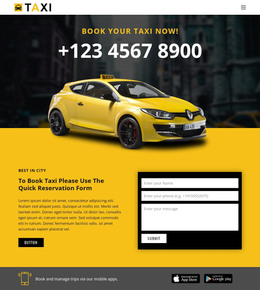
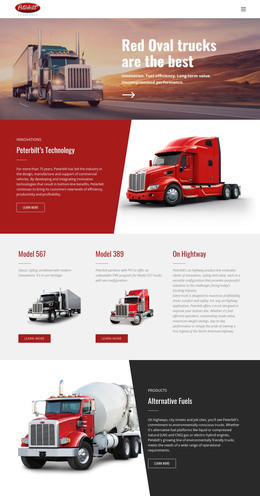
The luxury-car photograph and the heading “TRAVEL IN LUXURY AND STYLE...” form a compact piece of page content with a clear editorial purpose. The image supplies the subject and atmosphere, while the large white uppercase lettering gives visitors an immediate point of entry. Its lower-left alignment leaves open space across the darker photograph, preserving legibility and keeping the single content region visually calm. With static presentation and no repeated items or interactive controls, the section is easy to recognize as one focused content area.
In a WordPress-managed project, this block can hold a stable introductory message on a page about luxury transportation or travel. The broader site can place service descriptions, destination information, vehicle details, or contact content around it, while this section maintains its own image-led role. That distinction suits page-oriented content: the heading and visual treatment remain consistent even as other areas of the project develop separately. Nicepage’s WordPress content editing workflow supports editing page content with the plugin when the surrounding project is configured for it. The feature provides CMS context for using a section like this, while the block itself continues to contribute its defined photograph, heading, alignment, and visual hierarchy.
Customize with Nicepage
Open this ready-made template in the WordPress Website Builder and customize it visually in the Nicepage editor. Replace demo content, edit page sections, and adapt the design to your project without rebuilding the template from scratch.
Edit Template Offline
2. Create a new page or select existing
3. Click Add new block, search for id 80023 and click enter
Edit Template Online
Create Awesome Websites


Free Nicepage Builder
Keywords
Manage and Edit This Theme in WordPress
Customize and Install the WordPress Theme
Start with this ready-made theme instead of building the WordPress design from scratch. Customize its layout, content, typography, images, sections, and other design elements visually in Nicepage editor, then export and install the WordPress Theme, Plugin, and Pages on your WordPress site. The Nicepage WordPress Plugin lets you continue working with the site after installation.
Edit the Theme Directly in WordPress
After installation, you can edit the WordPress Theme directly in WordPress with the Nicepage WordPress Plugin. Use Site Style to customize site Colors, Fonts, Header, Footer, Blog, and Post Page Templates while working within your WordPress website.
Edit WordPress Pages Visually
Use the Nicepage WordPress Plugin to edit page content directly from the WordPress admin area. Open a WordPress Page with Nicepage and visually change its text, images, sections, and other page elements while continuing to manage the Page through WordPress.
WordPress Content and Theme Integration
Use the customized theme with WordPress Pages, Posts, Blog and Post Templates, menus, widgets, and other CMS-managed content. Shared theme elements such as Colors, Fonts, Header, Footer, Blog, and Post Page Templates can be managed as part of the overall site design, while WordPress provides the CMS environment for managing site content.
This workflow combines a ready-made WordPress Theme with visual customization, direct theme editing in WordPress, and continued content management through the Nicepage WordPress Plugin.