
Redefining Biochemical Development WordPress Theme


Edit Template Offline
2. Create new page and search for id 6529379
Edit Template Online
Create Awesome Websites


Free Nicepage Builder
Keywords
Department and Office Content Fit a Managed Contact Theme
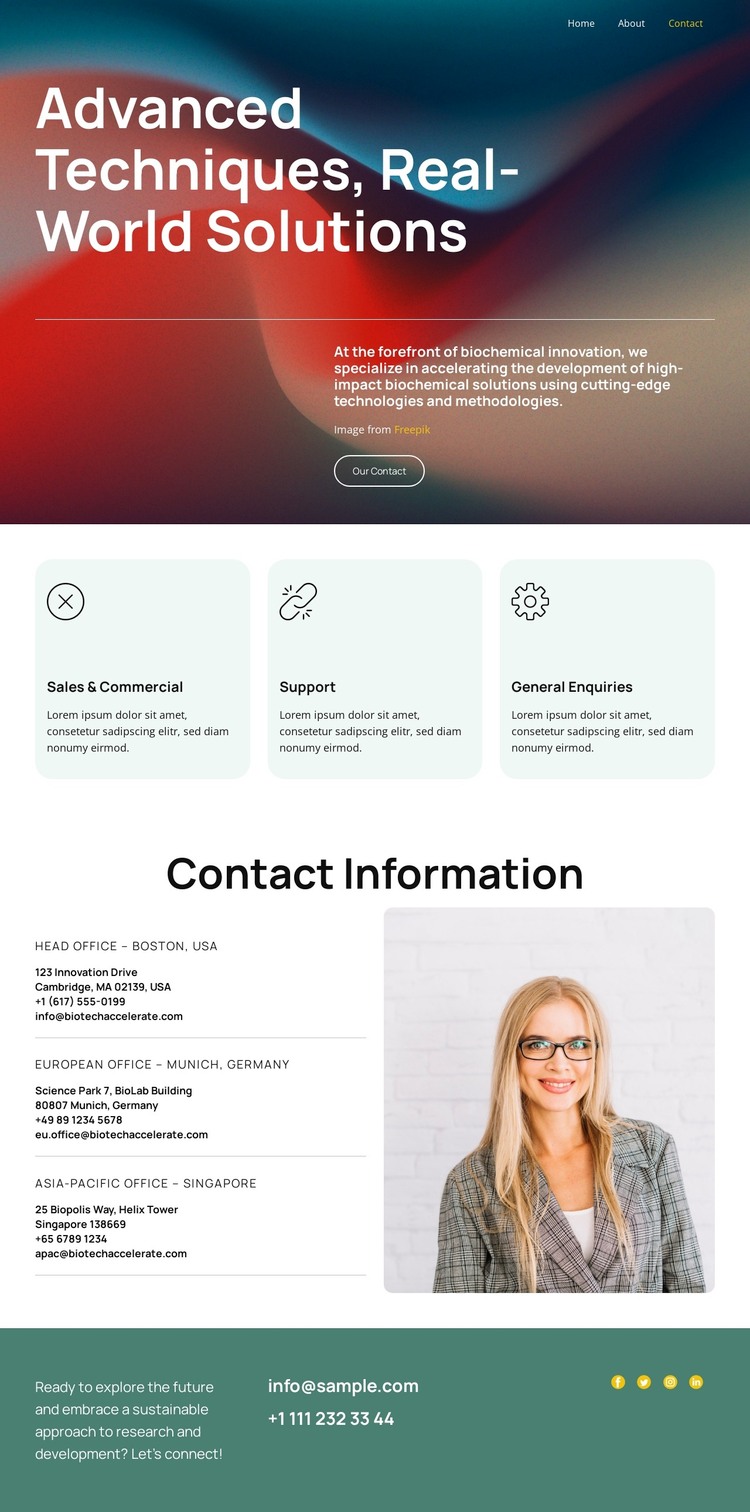
The page separates permanent organizational information into clear content areas that can work well within a managed WordPress theme. The three repeated cards identify Sales & Commercial, Support, and General Enquiries, giving the design a practical structure for department-focused page content. Their common shape and spacing preserve the visual relationship even when the wording or descriptions are changed for a real organization.
The Contact Information section provides another durable content area. Three office entries—Boston, Munich, and Singapore—are grouped beside a portrait image, allowing regional details and supporting imagery to occupy the same visual section without becoming a long uninterrupted text column. This arrangement can serve page-oriented contact content while leaving room for the organization’s actual office descriptions and verified communication details to replace the sample material.
The hero and footer supply the shared identity around those content areas. The opening message, abstract image, white type, and Our Contact button establish the page’s subject, while the teal closing region combines a connection prompt, email and phone details, and four social links. In a WordPress-managed project, these relationships make the design useful for keeping department, office, and shared site content visually coordinated. The page does not require an invented blog or post structure to demonstrate its theme value; its strength is the clear organization of contact information.
Customize with Nicepage
Open this ready-made template in the WordPress Website Builder and customize it visually in the Nicepage editor. Replace demo content, edit page sections, and adapt the design to your project without rebuilding the template from scratch.
Manage and Edit This Theme in WordPress
Customize and Install the WordPress Theme
Start with this ready-made theme instead of building the WordPress design from scratch. Customize its layout, content, typography, images, sections, and other design elements visually in Nicepage editor, then export and install the WordPress Theme, Plugin, and Pages on your WordPress site. The Nicepage WordPress Plugin lets you continue working with the site after installation.
Edit the Theme Directly in WordPress
After installation, you can edit the WordPress Theme directly in WordPress with the Nicepage WordPress Plugin. Use Site Style to customize site Colors, Fonts, Header, Footer, Blog, and Post Page Templates while working within your WordPress website.
Edit WordPress Pages Visually
Use the Nicepage WordPress Plugin to edit page content directly from the WordPress admin area. Open a WordPress Page with Nicepage and visually change its text, images, sections, and other page elements while continuing to manage the Page through WordPress.
WordPress Content and Theme Integration
Use the customized theme with WordPress Pages, Posts, Blog and Post Templates, menus, widgets, and other CMS-managed content. Shared theme elements such as Colors, Fonts, Header, Footer, Blog, and Post Page Templates can be managed as part of the overall site design, while WordPress provides the CMS environment for managing site content.
This workflow combines a ready-made WordPress Theme with visual customization, direct theme editing in WordPress, and continued content management through the Nicepage WordPress Plugin.





















