Our top business partners WordPress Theme


Stable Brand Content With a Clear Page-Section Hierarchy
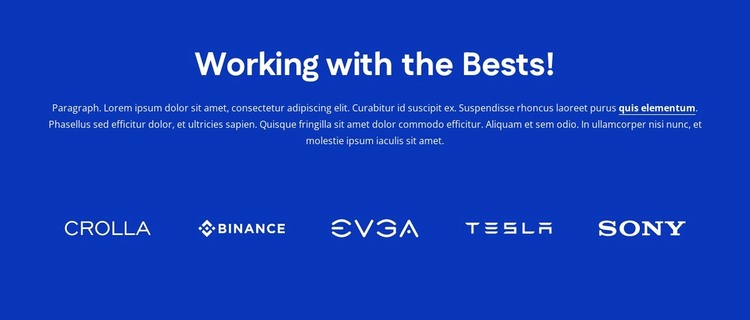
The heading and supporting paragraph make this block suitable for a stable partner-content region on a WordPress-managed page. “Working with the Bests!” establishes the subject, and the centered paragraph provides a short introduction before the visitor reaches the five logo positions. The logos are arranged in one horizontal row with even spacing, so they read as a unified group of associated brands rather than as separate posts, product cards, or profile entries.
The section’s visual hierarchy is reinforced by its contained styling. A solid deep blue background frames the text and logo area, while white typography and white logo marks create a consistent contrast throughout the block. Generous vertical spacing gives the introduction and logo row separate visual stages, allowing the brand display to support the page without competing with the primary content placed elsewhere. Its static behavior keeps all five positions visible at once.
In a WordPress-oriented project, the block can serve as permanent page content on a services, company, or other informational page while the wider site manages its own content around it. The visible preview includes Crolla, Binance, EVGA, Tesla, and Sony, but those names function here as labels within the demonstrated logo arrangement, not as independently confirmed business relationships. The main reusable pattern is the concise introduction followed by a balanced five-logo row.
Customize with Nicepage
Open this ready-made template in the WordPress Website Builder and customize it visually in the Nicepage editor. Replace demo content, edit page sections, and adapt the design to your project without rebuilding the template from scratch.
Edit Template Offline
2. Create a new page or select existing
3. Click Add new block, search for id 6399658 and click enter
Edit Template Online
Create Awesome Websites


Free Nicepage Builder
Keywords
Manage and Edit This Theme in WordPress
Customize and Install the WordPress Theme
Start with this ready-made theme instead of building the WordPress design from scratch. Customize its layout, content, typography, images, sections, and other design elements visually in Nicepage editor, then export and install the WordPress Theme, Plugin, and Pages on your WordPress site. The Nicepage WordPress Plugin lets you continue working with the site after installation.
Edit the Theme Directly in WordPress
After installation, you can edit the WordPress Theme directly in WordPress with the Nicepage WordPress Plugin. Use Site Style to customize site Colors, Fonts, Header, Footer, Blog, and Post Page Templates while working within your WordPress website.
Edit WordPress Pages Visually
Use the Nicepage WordPress Plugin to edit page content directly from the WordPress admin area. Open a WordPress Page with Nicepage and visually change its text, images, sections, and other page elements while continuing to manage the Page through WordPress.
WordPress Content and Theme Integration
Use the customized theme with WordPress Pages, Posts, Blog and Post Templates, menus, widgets, and other CMS-managed content. Shared theme elements such as Colors, Fonts, Header, Footer, Blog, and Post Page Templates can be managed as part of the overall site design, while WordPress provides the CMS environment for managing site content.
This workflow combines a ready-made WordPress Theme with visual customization, direct theme editing in WordPress, and continued content management through the Nicepage WordPress Plugin.