The list of questions and corresponding answers WordPress Theme


Edit Template Offline
2. Create new page and search for id 6449734
Edit Template Online
Create Awesome Websites


Free Nicepage Builder
Keywords
Expandable HR Content Leads Into a WordPress Consultation Page
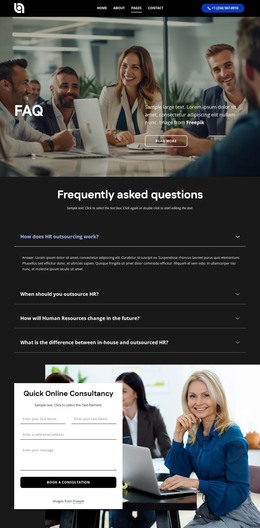
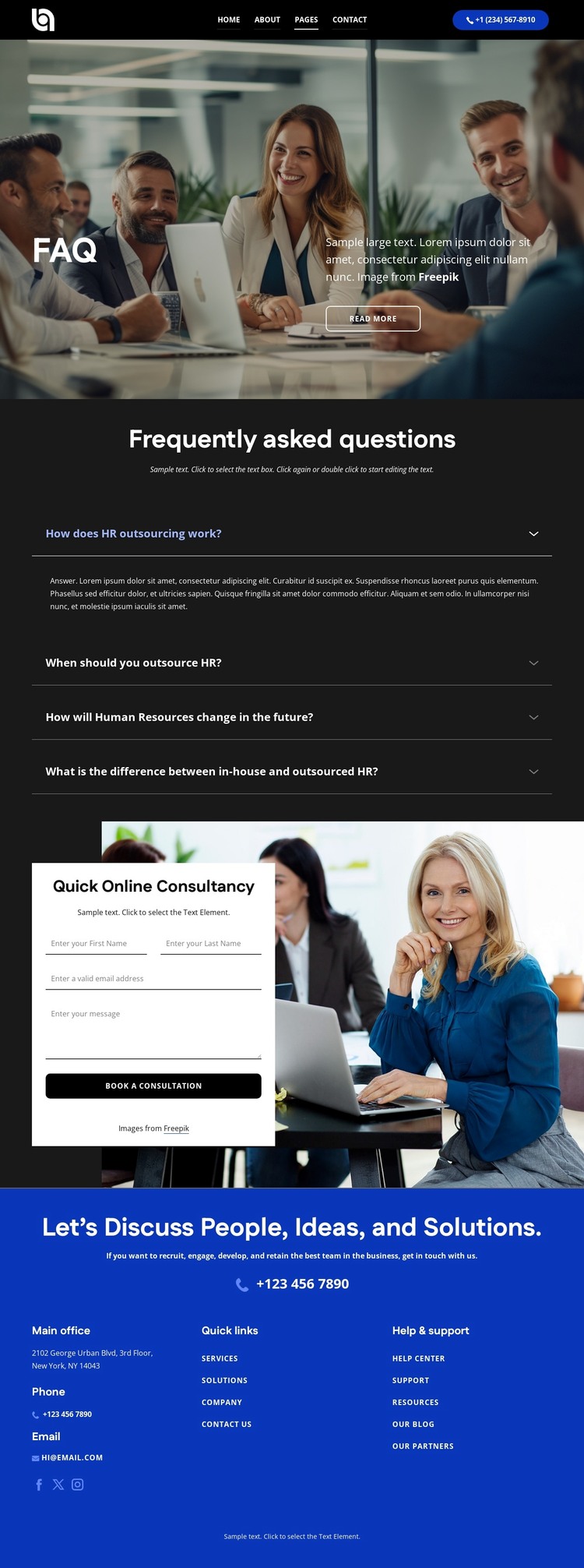
The page-oriented content fits naturally around a WordPress-managed FAQ presentation because each major area has a distinct editorial role. The office photograph and overlaid FAQ heading establish the subject before visitors reach four questions about HR outsourcing and the difference between in-house and outsourced HR. One answer is visible while three remain collapsed, creating a compact way to present related explanations without losing the page’s visual focus. The Read more action adds an earlier path toward additional information, while the question list supplies the page’s main explanatory content.
The lower half connects permanent page information with a practical consultation response. A light card places the consultation request form over a photographic and gradient background, and the Book a Consultation action makes the intended next step clear. The footer extends the content system with office-location, phone, email, social-link, quick-link, and Help & support areas. In a WordPress project, these page and shared-site regions can remain visually coordinated while the text and contact information are maintained as site content. The analysis does not verify WordPress Posts, blog structures, or existing CMS fields, so the strongest interpretation is a managed FAQ and consultation page that can later sit alongside other related content.
Customize with Nicepage
Open this ready-made template in the WordPress Website Builder and customize it visually in the Nicepage editor. Replace demo content, edit page sections, and adapt the design to your project without rebuilding the template from scratch.
Manage and Edit This Theme in WordPress
Customize and Install the WordPress Theme
Start with this ready-made theme instead of building the WordPress design from scratch. Customize its layout, content, typography, images, sections, and other design elements visually in Nicepage editor, then export and install the WordPress Theme, Plugin, and Pages on your WordPress site. The Nicepage WordPress Plugin lets you continue working with the site after installation.
Edit the Theme Directly in WordPress
After installation, you can edit the WordPress Theme directly in WordPress with the Nicepage WordPress Plugin. Use Site Style to customize site Colors, Fonts, Header, Footer, Blog, and Post Page Templates while working within your WordPress website.
Edit WordPress Pages Visually
Use the Nicepage WordPress Plugin to edit page content directly from the WordPress admin area. Open a WordPress Page with Nicepage and visually change its text, images, sections, and other page elements while continuing to manage the Page through WordPress.
WordPress Content and Theme Integration
Use the customized theme with WordPress Pages, Posts, Blog and Post Templates, menus, widgets, and other CMS-managed content. Shared theme elements such as Colors, Fonts, Header, Footer, Blog, and Post Page Templates can be managed as part of the overall site design, while WordPress provides the CMS environment for managing site content.
This workflow combines a ready-made WordPress Theme with visual customization, direct theme editing in WordPress, and continued content management through the Nicepage WordPress Plugin.