A little about us WordPress Theme


Stacked Facts Turn Organization Details Into Stable Page Content
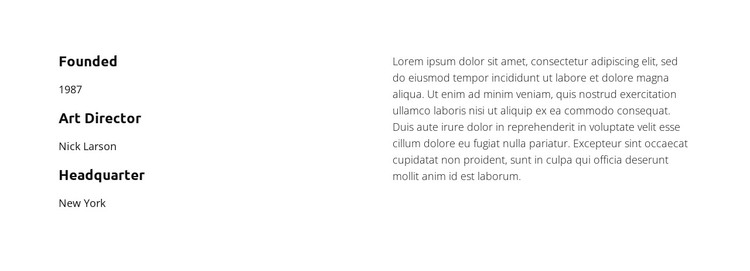
Founded, Art Director, and Headquarter form a concise set of organization details in the left column. Each label sits above its corresponding value, creating a predictable reading pattern for visitors who want to locate specific information quickly. The supporting paragraph on the right changes the rhythm from short reference points to continuous explanatory text, making the block suitable for permanent About content in a WordPress-managed page.
This is a static section with no confirmed interactive component, so its strength comes from content organization rather than behavior. The bold labels provide the main typographic emphasis, while the smaller values remain visually subordinate. Black text on a white background gives the content a neutral surface that can sit comfortably within a broader WordPress page design, and the generous horizontal spacing keeps the two columns distinct. The example values show how the fields are structured; a project can replace them with its own organization details.
For a WordPress-oriented project, the section can serve as a durable page-content region rather than a time-sensitive post listing. The three fact groups support quick reference, while the paragraph allows the organization to add context without disturbing the left-side pattern. Other WordPress-managed content can surround this block, but the section itself keeps a focused role: presenting core organization information in a compact, readable arrangement.
Customize with Nicepage
Open this ready-made template in the WordPress Website Builder and customize it visually in the Nicepage editor. Replace demo content, edit page sections, and adapt the design to your project without rebuilding the template from scratch.
Edit Template Offline
2. Create a new page or select existing
3. Click Add new block, search for id 6267350 and click enter
Edit Template Online
Create Awesome Websites


Free Nicepage Builder
Keywords
Manage and Edit This Theme in WordPress
Customize and Install the WordPress Theme
Start with this ready-made theme instead of building the WordPress design from scratch. Customize its layout, content, typography, images, sections, and other design elements visually in Nicepage editor, then export and install the WordPress Theme, Plugin, and Pages on your WordPress site. The Nicepage WordPress Plugin lets you continue working with the site after installation.
Edit the Theme Directly in WordPress
After installation, you can edit the WordPress Theme directly in WordPress with the Nicepage WordPress Plugin. Use Site Style to customize site Colors, Fonts, Header, Footer, Blog, and Post Page Templates while working within your WordPress website.
Edit WordPress Pages Visually
Use the Nicepage WordPress Plugin to edit page content directly from the WordPress admin area. Open a WordPress Page with Nicepage and visually change its text, images, sections, and other page elements while continuing to manage the Page through WordPress.
WordPress Content and Theme Integration
Use the customized theme with WordPress Pages, Posts, Blog and Post Templates, menus, widgets, and other CMS-managed content. Shared theme elements such as Colors, Fonts, Header, Footer, Blog, and Post Page Templates can be managed as part of the overall site design, while WordPress provides the CMS environment for managing site content.
This workflow combines a ready-made WordPress Theme with visual customization, direct theme editing in WordPress, and continued content management through the Nicepage WordPress Plugin.