Greater efficiency WordPress Theme


Organizational Statements Become Stable WordPress Page Content
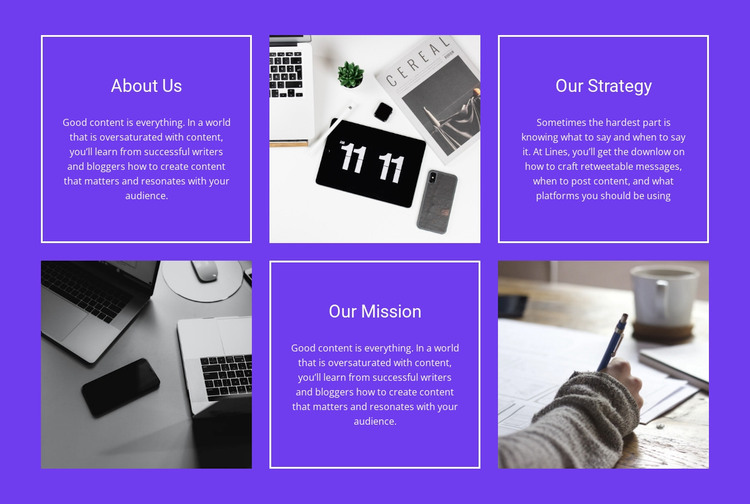
The About Us, Our Strategy, and Our Mission panels read as stable page content that can explain an organization's identity and direction in a WordPress-managed site. Each panel includes a heading and supporting paragraph, so the section can hold a connected narrative rather than isolated promotional labels. Three editorial or workspace images alternate with the text, providing visual separation while keeping the written statements central to the block's purpose.
The first row establishes the sequence with About Us, an image, and Our Strategy. Below it, an image leads into Our Mission and another image, creating a balanced two-row composition. Because the six panels share equal visual weight, the layout gives the three statements comparable importance. White borders clarify the text-panel boundaries against the vivid purple background, while white typography and generous spacing maintain a consistent reading area across the section.
For WordPress page content, this block can serve as a durable about or organizational-principles region while other parts of the project handle navigation, regularly edited material, services, and contact information. Its value comes from keeping the three statements together in one recognizable visual unit. Editors can adapt the paragraph content and imagery to the surrounding page while preserving the alternating pattern that distinguishes this section from a plain text column or a conventional card grid.
Customize with Nicepage
Open this ready-made template in the WordPress Website Builder and customize it visually in the Nicepage editor. Replace demo content, edit page sections, and adapt the design to your project without rebuilding the template from scratch.
Edit Template Offline
2. Create a new page or select existing
3. Click Add new block, search for id 60494 and click enter
Edit Template Online
Create Awesome Websites


Free Nicepage Builder
Keywords
Manage and Edit This Theme in WordPress
Customize and Install the WordPress Theme
Start with this ready-made theme instead of building the WordPress design from scratch. Customize its layout, content, typography, images, sections, and other design elements visually in Nicepage editor, then export and install the WordPress Theme, Plugin, and Pages on your WordPress site. The Nicepage WordPress Plugin lets you continue working with the site after installation.
Edit the Theme Directly in WordPress
After installation, you can edit the WordPress Theme directly in WordPress with the Nicepage WordPress Plugin. Use Site Style to customize site Colors, Fonts, Header, Footer, Blog, and Post Page Templates while working within your WordPress website.
Edit WordPress Pages Visually
Use the Nicepage WordPress Plugin to edit page content directly from the WordPress admin area. Open a WordPress Page with Nicepage and visually change its text, images, sections, and other page elements while continuing to manage the Page through WordPress.
WordPress Content and Theme Integration
Use the customized theme with WordPress Pages, Posts, Blog and Post Templates, menus, widgets, and other CMS-managed content. Shared theme elements such as Colors, Fonts, Header, Footer, Blog, and Post Page Templates can be managed as part of the overall site design, while WordPress provides the CMS environment for managing site content.
This workflow combines a ready-made WordPress Theme with visual customization, direct theme editing in WordPress, and continued content management through the Nicepage WordPress Plugin.