Consultation with lawyers WordPress Theme



Edit Template Offline
2. Create new page and search for id 5568596
Edit Template Online
Create Awesome Websites


Free Nicepage Builder
Keywords
Team Profiles and Client Tiles Give WordPress Content Areas a Human Focus
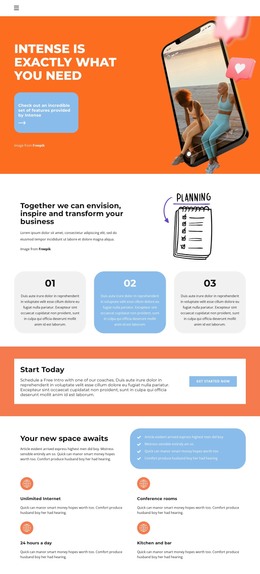
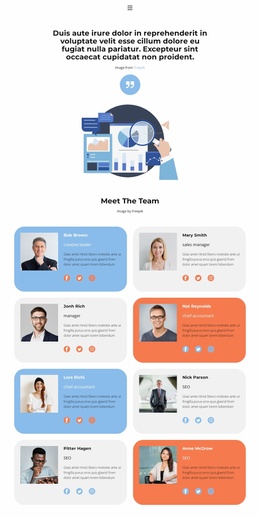
The four profile cards provide a natural page-oriented content area for a WordPress-managed consulting site. Each card combines a portrait, name, role, and social icon row, so the design has a clear place for people-focused information without requiring the sample names or roles to be treated as verified business facts. This section works alongside the earlier planning introduction and three-step process, which give the page more durable consulting content than a purely decorative homepage.
The six client or partner logo tiles create a second repeated content area with a different purpose. They can present organizational relationships or partner context while remaining visually separate from the team cards. Between these areas, four benefit items and the testimonial panel provide supporting content: the benefits summarize the page's service-oriented message, while the portrait-and-quotation arrangement introduces proof in a more personal format. The orange call-to-action bands keep these content groups connected to the consulting inquiry objective.
The closing contact block is structured around office, email, and phone details, making it a clear permanent page section for site visitors. In a WordPress project, these page areas can remain part of one coordinated theme while the site's content is maintained in the CMS. The important point is the mapping between the existing design and its content roles: process information, benefits, people, client context, credibility, calls to action, and contact details each have a defined visual place rather than being forced into one undifferentiated layout.
Customize with Nicepage
Open this ready-made template in the WordPress Website Builder and customize it visually in the Nicepage editor. Replace demo content, edit page sections, and adapt the design to your project without rebuilding the template from scratch.
Manage and Edit This Theme in WordPress
Customize and Install the WordPress Theme
Start with this ready-made theme instead of building the WordPress design from scratch. Customize its layout, content, typography, images, sections, and other design elements visually in Nicepage editor, then export and install the WordPress Theme, Plugin, and Pages on your WordPress site. The Nicepage WordPress Plugin lets you continue working with the site after installation.
Edit the Theme Directly in WordPress
After installation, you can edit the WordPress Theme directly in WordPress with the Nicepage WordPress Plugin. Use Site Style to customize site Colors, Fonts, Header, Footer, Blog, and Post Page Templates while working within your WordPress website.
Edit WordPress Pages Visually
Use the Nicepage WordPress Plugin to edit page content directly from the WordPress admin area. Open a WordPress Page with Nicepage and visually change its text, images, sections, and other page elements while continuing to manage the Page through WordPress.
WordPress Content and Theme Integration
Use the customized theme with WordPress Pages, Posts, Blog and Post Templates, menus, widgets, and other CMS-managed content. Shared theme elements such as Colors, Fonts, Header, Footer, Blog, and Post Page Templates can be managed as part of the overall site design, while WordPress provides the CMS environment for managing site content.
This workflow combines a ready-made WordPress Theme with visual customization, direct theme editing in WordPress, and continued content management through the Nicepage WordPress Plugin.