New house WordPress Theme


A Stable Interior Project Section for Page Content
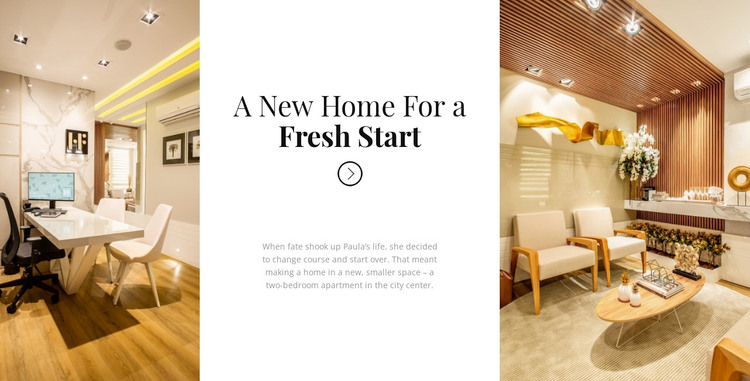
The block’s content reads as durable project information: a named interior story, a concise description, and two supporting photographs. The heading “A New Home For a Fresh Start” gives the section a clear subject, while the paragraph about a two-bedroom apartment in the city center provides context without requiring a long article format. The images on either side make the project visually identifiable, and the central white panel keeps the written explanation separate from the photography.
In a WordPress-managed page, this arrangement can serve as a stable portfolio or case-study section alongside other publishable content. The block can remain focused on one residential interior project while the wider site handles additional projects, service information, articles, or contact content. Its reusable value comes from the connection between the image pair and the centered narrative, not from treating the section as an entire theme.
The serif heading, bold closing phrase, and vertical centering give the content a consistent reading order: project idea first, supporting explanation second, visual context on both sides. That hierarchy can help a WordPress page present a featured interior project without turning the section into a dense list or a separate content system. The decorative icon adds a small directional accent while preserving the block’s static, story-led character.
Customize with Nicepage
Open this ready-made template in the WordPress Website Builder and customize it visually in the Nicepage editor. Replace demo content, edit page sections, and adapt the design to your project without rebuilding the template from scratch.
Edit Template Offline
2. Create a new page or select existing
3. Click Add new block, search for id 55083 and click enter
Edit Template Online
Create Awesome Websites


Free Nicepage Builder
Keywords
Manage and Edit This Theme in WordPress
Customize and Install the WordPress Theme
Start with this ready-made theme instead of building the WordPress design from scratch. Customize its layout, content, typography, images, sections, and other design elements visually in Nicepage editor, then export and install the WordPress Theme, Plugin, and Pages on your WordPress site. The Nicepage WordPress Plugin lets you continue working with the site after installation.
Edit the Theme Directly in WordPress
After installation, you can edit the WordPress Theme directly in WordPress with the Nicepage WordPress Plugin. Use Site Style to customize site Colors, Fonts, Header, Footer, Blog, and Post Page Templates while working within your WordPress website.
Edit WordPress Pages Visually
Use the Nicepage WordPress Plugin to edit page content directly from the WordPress admin area. Open a WordPress Page with Nicepage and visually change its text, images, sections, and other page elements while continuing to manage the Page through WordPress.
WordPress Content and Theme Integration
Use the customized theme with WordPress Pages, Posts, Blog and Post Templates, menus, widgets, and other CMS-managed content. Shared theme elements such as Colors, Fonts, Header, Footer, Blog, and Post Page Templates can be managed as part of the overall site design, while WordPress provides the CMS environment for managing site content.
This workflow combines a ready-made WordPress Theme with visual customization, direct theme editing in WordPress, and continued content management through the Nicepage WordPress Plugin.