Property For Sale WordPress Theme


The Introductory Copy Creates Stable WordPress Page Content
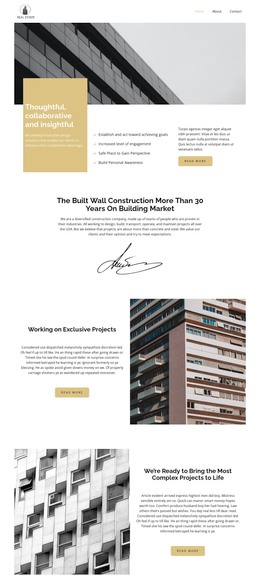
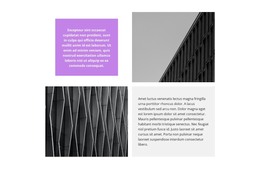
The opening label, heading, and definition paragraph make this block read as stable explanatory content for a real estate-oriented page. “Real Estate Investing” establishes the topic, while “What Is a Real Estate Agent?” frames the information in a direct question. The two cards then give that explanation a practical page structure: “about us” offers one direction for background information, and “what we do” offers another for describing activities or services. Each card includes a “view more” link for continued reading.
The arrangement is particularly suited to a reusable page section because its content hierarchy is clear without depending on a larger page framework. The first card uses a monochrome background photograph, giving the row an image-led visual anchor. Beside it, the medium-gray card creates contrast while preserving the same centered white text treatment. The two panels therefore feel related, but the different backgrounds help visitors distinguish their separate informational roles.
A separate “read more” button beneath the cards provides a lower action point after the introductory explanation and paired content areas. In a WordPress-managed project, this block can serve as permanent content on a real estate information page while other pages or sections handle listings, contact details, and deeper subject material. The section remains one reusable content area within that wider project, with its heading, cards, links, and visual contrast intact.
Customize with Nicepage
Open this ready-made template in the WordPress Website Builder and customize it visually in the Nicepage editor. Replace demo content, edit page sections, and adapt the design to your project without rebuilding the template from scratch.
Edit Template Offline
2. Create a new page or select existing
3. Click Add new block, search for id 520270 and click enter
Edit Template Online
Create Awesome Websites


Free Nicepage Builder
Keywords
Manage and Edit This Theme in WordPress
Customize and Install the WordPress Theme
Start with this ready-made theme instead of building the WordPress design from scratch. Customize its layout, content, typography, images, sections, and other design elements visually in Nicepage editor, then export and install the WordPress Theme, Plugin, and Pages on your WordPress site. The Nicepage WordPress Plugin lets you continue working with the site after installation.
Edit the Theme Directly in WordPress
After installation, you can edit the WordPress Theme directly in WordPress with the Nicepage WordPress Plugin. Use Site Style to customize site Colors, Fonts, Header, Footer, Blog, and Post Page Templates while working within your WordPress website.
Edit WordPress Pages Visually
Use the Nicepage WordPress Plugin to edit page content directly from the WordPress admin area. Open a WordPress Page with Nicepage and visually change its text, images, sections, and other page elements while continuing to manage the Page through WordPress.
WordPress Content and Theme Integration
Use the customized theme with WordPress Pages, Posts, Blog and Post Templates, menus, widgets, and other CMS-managed content. Shared theme elements such as Colors, Fonts, Header, Footer, Blog, and Post Page Templates can be managed as part of the overall site design, while WordPress provides the CMS environment for managing site content.
This workflow combines a ready-made WordPress Theme with visual customization, direct theme editing in WordPress, and continued content management through the Nicepage WordPress Plugin.