Online dog trainer WordPress Theme


Permanent Page Content With a Clear Founder-to-Program Hierarchy
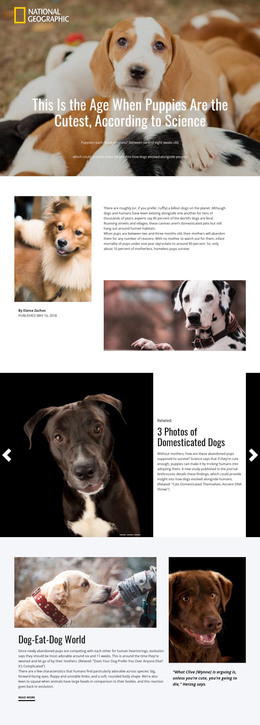
The section reads naturally as stable page content for a WordPress-managed pet-care or training site. Its heading, “The Online Dog Trainer,” names the subject, and the adjacent paragraph identifies Doggy Dan as the founder of the online training program. The copy also describes experience with behavioral dog issues and dogs of different breeds and ages, making the section suitable for communicating enduring program context rather than a time-sensitive update.
The content is organized visually through a two-column arrangement. The large black heading occupies the left side, while the darker supporting paragraph sits on the right. Beneath this text area, five dogs stretch across the lower image treatment, connecting the visual subject to the program without introducing a separate interactive feature. The pale blue background and generous spacing preserve a calm distinction between reading and imagery, helping the founder information remain legible.
In a WordPress-oriented project, this block can occupy a stable section of a services, about, or program page while the wider site manages other content around it. Related pages may provide training details, articles, testimonials, or contact paths, but this section can keep its own focused role: introducing the trainer and explaining the audience-facing program. The visual arrangement is reusable page content, not a complete theme or site structure.
Customize with Nicepage
Open this ready-made template in the WordPress Website Builder and customize it visually in the Nicepage editor. Replace demo content, edit page sections, and adapt the design to your project without rebuilding the template from scratch.
Edit Template Offline
2. Create a new page or select existing
3. Click Add new block, search for id 48568 and click enter
Edit Template Online
Create Awesome Websites


Free Nicepage Builder
Keywords
Manage and Edit This Theme in WordPress
Customize and Install the WordPress Theme
Start with this ready-made theme instead of building the WordPress design from scratch. Customize its layout, content, typography, images, sections, and other design elements visually in Nicepage editor, then export and install the WordPress Theme, Plugin, and Pages on your WordPress site. The Nicepage WordPress Plugin lets you continue working with the site after installation.
Edit the Theme Directly in WordPress
After installation, you can edit the WordPress Theme directly in WordPress with the Nicepage WordPress Plugin. Use Site Style to customize site Colors, Fonts, Header, Footer, Blog, and Post Page Templates while working within your WordPress website.
Edit WordPress Pages Visually
Use the Nicepage WordPress Plugin to edit page content directly from the WordPress admin area. Open a WordPress Page with Nicepage and visually change its text, images, sections, and other page elements while continuing to manage the Page through WordPress.
WordPress Content and Theme Integration
Use the customized theme with WordPress Pages, Posts, Blog and Post Templates, menus, widgets, and other CMS-managed content. Shared theme elements such as Colors, Fonts, Header, Footer, Blog, and Post Page Templates can be managed as part of the overall site design, while WordPress provides the CMS environment for managing site content.
This workflow combines a ready-made WordPress Theme with visual customization, direct theme editing in WordPress, and continued content management through the Nicepage WordPress Plugin.