Our pride WordPress Theme



Edit Template Offline
2. Create new page and search for id 4741991
Edit Template Online
Create Awesome Websites


Free Nicepage Builder
Keywords
The Gallery and Feature Cards Create Clear WordPress Content Areas
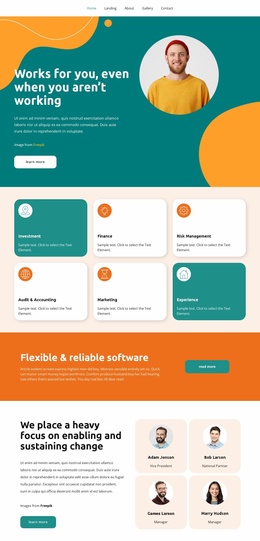
The page gives permanent portfolio information a strong visual center through its nine-image project gallery. The three-column arrangement groups the project imagery into one recognizable presentation area, making it suitable for a portfolio-oriented WordPress page where visual work remains central to the visitor’s understanding. The opening teal band supplies a concise introduction, while the orange button can lead visitors toward related information or a project-specific action.
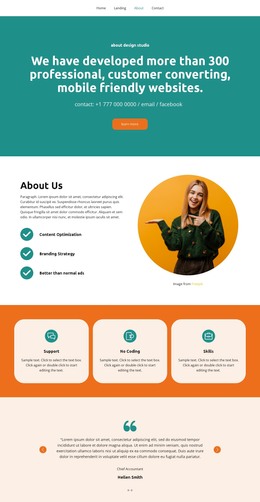
Around the gallery, the design separates several kinds of page content. The About Us section combines descriptive text, a phone contact display, and a circular portrait, creating a personal context for the work. The selling-option section uses a contrasting orange background and an opposing portrait-and-text layout, so supporting information does not compete with the main image grid. Below it, the rounded mosaic combines four image tiles with two cards labeled Marketing and Flexibility, offering space for capability or project-related content.
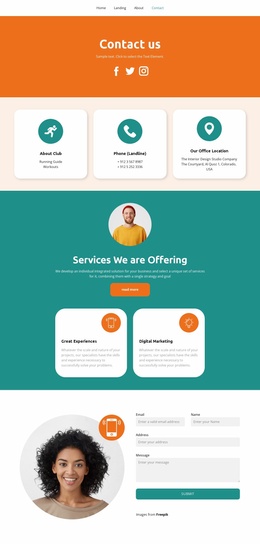
The contact inquiry form provides a natural WordPress page endpoint, but the template analysis does not verify any existing posts, categories, or blog structure. Its value lies instead in the clear division between page-oriented portfolio content, visual project evidence, feature information, and visitor inquiries. Those areas can be adapted around WordPress-managed content while preserving the page’s teal, orange, cream, white, and rounded visual character.
Customize with Nicepage
Open this ready-made template in the WordPress Website Builder and customize it visually in the Nicepage editor. Replace demo content, edit page sections, and adapt the design to your project without rebuilding the template from scratch.
Manage and Edit This Theme in WordPress
Customize and Install the WordPress Theme
Start with this ready-made theme instead of building the WordPress design from scratch. Customize its layout, content, typography, images, sections, and other design elements visually in Nicepage editor, then export and install the WordPress Theme, Plugin, and Pages on your WordPress site. The Nicepage WordPress Plugin lets you continue working with the site after installation.
Edit the Theme Directly in WordPress
After installation, you can edit the WordPress Theme directly in WordPress with the Nicepage WordPress Plugin. Use Site Style to customize site Colors, Fonts, Header, Footer, Blog, and Post Page Templates while working within your WordPress website.
Edit WordPress Pages Visually
Use the Nicepage WordPress Plugin to edit page content directly from the WordPress admin area. Open a WordPress Page with Nicepage and visually change its text, images, sections, and other page elements while continuing to manage the Page through WordPress.
WordPress Content and Theme Integration
Use the customized theme with WordPress Pages, Posts, Blog and Post Templates, menus, widgets, and other CMS-managed content. Shared theme elements such as Colors, Fonts, Header, Footer, Blog, and Post Page Templates can be managed as part of the overall site design, while WordPress provides the CMS environment for managing site content.
This workflow combines a ready-made WordPress Theme with visual customization, direct theme editing in WordPress, and continued content management through the Nicepage WordPress Plugin.