Full information WordPress Theme


Edit Template Offline
2. Create new page and search for id 4741357
Edit Template Online
Create Awesome Websites


Free Nicepage Builder
Keywords
Capability Labels and Repeated Content Areas Suit WordPress Page Content
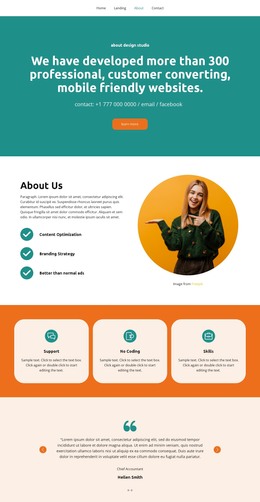
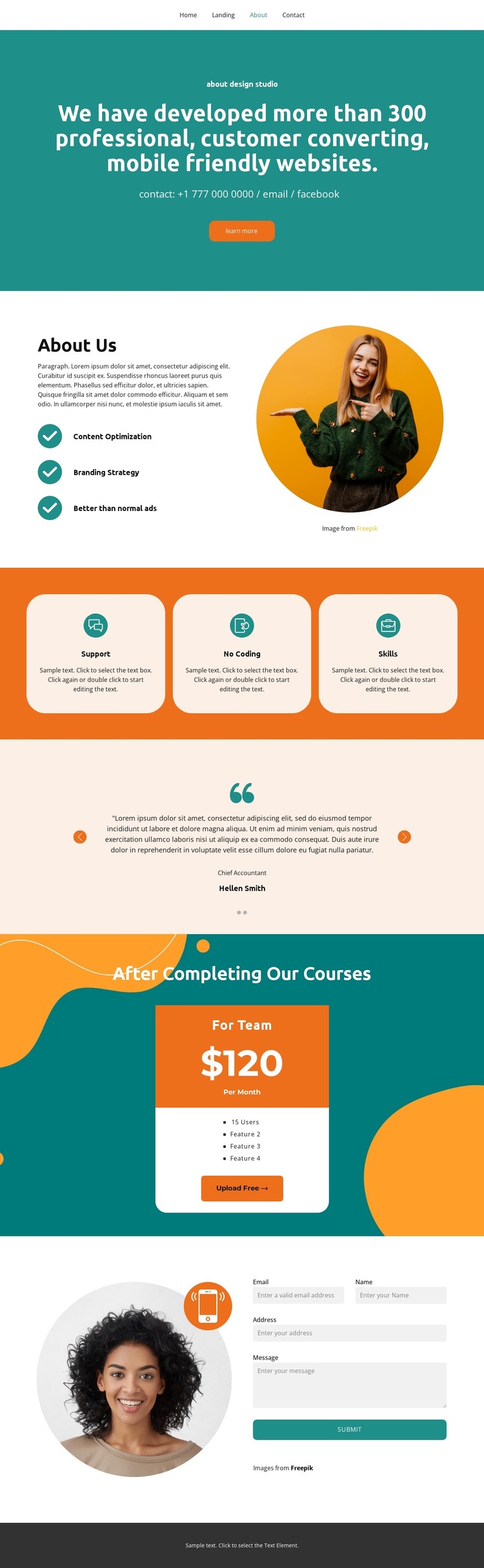
The About Us section provides a natural set of permanent page content for a WordPress-oriented project. Its explanatory copy is paired with Content Optimization, Branding Strategy, and Better than normal ads, while circular imagery gives the section a recognizable visual boundary. These labels can remain part of the page’s fixed studio information rather than being confused with verified posts, categories, or other dynamic WordPress structures.
The three feature cards create a second content pattern built around Support, No Coding, and Skills. Their repeated layout could accommodate concise service or course information while preserving the same visual treatment. The testimonial area works differently: two slides present attributed statements with roles and names, making it a compact proof section that can sit alongside permanent About content. The names and quotations are demo content evidence of structure, not independently verified customer claims.
The course-related pricing card adds an offer-oriented content zone with a team label, sample monthly price, user count, feature lines, and an Upload Free action. The closing contact area then gathers email, name, address, and message information through a visible form. In a WordPress theme project, these page areas create a clear distinction between studio information, repeated feature content, proof, an offer, and inquiry content. The navigation links and dark footer provide shared site context, while the single verified page can serve as a design basis without claiming that WordPress posts or additional pages already exist.
Customize with Nicepage
Open this ready-made template in the WordPress Website Builder and customize it visually in the Nicepage editor. Replace demo content, edit page sections, and adapt the design to your project without rebuilding the template from scratch.
Manage and Edit This Theme in WordPress
Customize and Install the WordPress Theme
Start with this ready-made theme instead of building the WordPress design from scratch. Customize its layout, content, typography, images, sections, and other design elements visually in Nicepage editor, then export and install the WordPress Theme, Plugin, and Pages on your WordPress site. The Nicepage WordPress Plugin lets you continue working with the site after installation.
Edit the Theme Directly in WordPress
After installation, you can edit the WordPress Theme directly in WordPress with the Nicepage WordPress Plugin. Use Site Style to customize site Colors, Fonts, Header, Footer, Blog, and Post Page Templates while working within your WordPress website.
Edit WordPress Pages Visually
Use the Nicepage WordPress Plugin to edit page content directly from the WordPress admin area. Open a WordPress Page with Nicepage and visually change its text, images, sections, and other page elements while continuing to manage the Page through WordPress.
WordPress Content and Theme Integration
Use the customized theme with WordPress Pages, Posts, Blog and Post Templates, menus, widgets, and other CMS-managed content. Shared theme elements such as Colors, Fonts, Header, Footer, Blog, and Post Page Templates can be managed as part of the overall site design, while WordPress provides the CMS environment for managing site content.
This workflow combines a ready-made WordPress Theme with visual customization, direct theme editing in WordPress, and continued content management through the Nicepage WordPress Plugin.