Your emotions WordPress Theme


A Stable Testimonial Area for WordPress Page Content
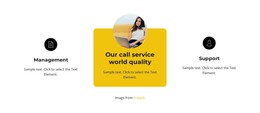
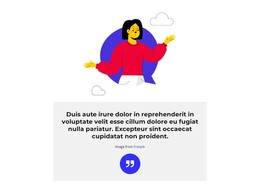
The quote and its surrounding visual treatment make this block well suited to permanent testimonial content on a WordPress-managed page. One central container keeps the testimonial message focused, and the quotation-mark icon immediately distinguishes it from ordinary explanatory copy. The thick rounded white border creates a self-contained content area against the orange background, while the two illustrated figures give the section a recognizable appearance that can remain consistent when the page is edited around it.
The introductory paragraph provides a natural lead-in to the quote, and the attribution line below preserves a separate place for the image source. These regions can support a stable page section such as customer feedback, creative commentary, or another quote-based proof area, without relying on a post list or a changing content feed. The block’s static interaction also keeps its meaning straightforward: visitors read one framed message rather than navigate through multiple testimonial states.
Within a broader WordPress project, the section can sit among other page content while its orange field, white typography, and illustrated side treatment establish a repeatable visual pattern. The central card remains the main content region, and the surrounding figures function as presentation rather than additional records. If the project later connects the design to managed page content, the existing hierarchy still offers clear places for introductory copy, the quote, and attribution. The result is a focused CMS page section whose editorial role comes from its testimonial structure and its defined content regions.
Customize with Nicepage
Open this ready-made template in the WordPress Website Builder and customize it visually in the Nicepage editor. Replace demo content, edit page sections, and adapt the design to your project without rebuilding the template from scratch.
Edit Template Offline
2. Create a new page or select existing
3. Click Add new block, search for id 3908822 and click enter
Edit Template Online
Create Awesome Websites


Free Nicepage Builder
Keywords
Manage and Edit This Theme in WordPress
Customize and Install the WordPress Theme
Start with this ready-made theme instead of building the WordPress design from scratch. Customize its layout, content, typography, images, sections, and other design elements visually in Nicepage editor, then export and install the WordPress Theme, Plugin, and Pages on your WordPress site. The Nicepage WordPress Plugin lets you continue working with the site after installation.
Edit the Theme Directly in WordPress
After installation, you can edit the WordPress Theme directly in WordPress with the Nicepage WordPress Plugin. Use Site Style to customize site Colors, Fonts, Header, Footer, Blog, and Post Page Templates while working within your WordPress website.
Edit WordPress Pages Visually
Use the Nicepage WordPress Plugin to edit page content directly from the WordPress admin area. Open a WordPress Page with Nicepage and visually change its text, images, sections, and other page elements while continuing to manage the Page through WordPress.
WordPress Content and Theme Integration
Use the customized theme with WordPress Pages, Posts, Blog and Post Templates, menus, widgets, and other CMS-managed content. Shared theme elements such as Colors, Fonts, Header, Footer, Blog, and Post Page Templates can be managed as part of the overall site design, while WordPress provides the CMS environment for managing site content.
This workflow combines a ready-made WordPress Theme with visual customization, direct theme editing in WordPress, and continued content management through the Nicepage WordPress Plugin.