Brand power WordPress Theme


Permanent Creative-Approach Content With a Visual Counterpart
The heading and four short statements make the section suitable for stable page content rather than time-sensitive updates. Each statement contributes a different stage of the same creative approach: identifying tensions, drawing from culture and category, sharpening the questions worth asking, and producing solutions that can remain meaningful and memorable. Read together, the points give a WordPress-managed page a compact explanation of process without requiring the block to carry an entire brand story.
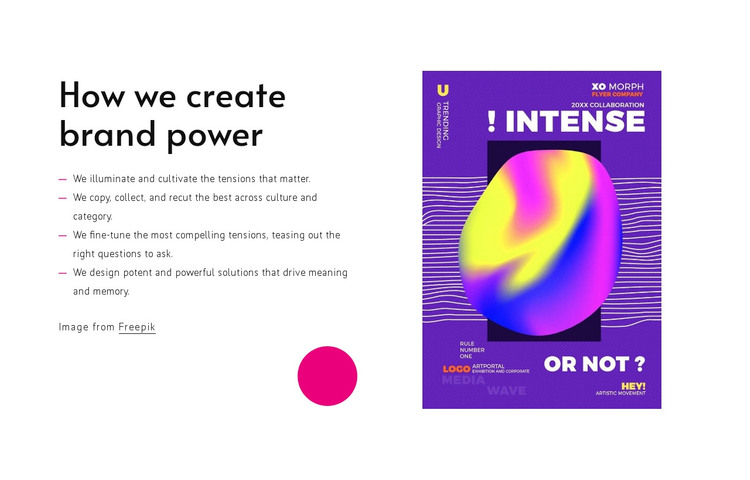
The portrait-oriented image supplies a visual counterpart to that explanation. Its position opposite the text creates a balanced split, while vertical centering prevents either column from appearing detached from the other. The image credit line remains visible as part of the content arrangement. The styling is equally specific: black type and a white field support legibility, saturated purple, pink, yellow, and blue appear in the editorial poster, and a magenta circular accent anchors the lower part of the text column.
In a WordPress-oriented project, this block can occupy a stable services, approach, or philosophy area within a managed page. Other content can surround it, but the section itself retains a focused editorial purpose. Its four-part structure also gives editors a clear content model to maintain without changing the visual relationship between the methodology and its supporting image.
Customize with Nicepage
Open this ready-made template in the WordPress Website Builder and customize it visually in the Nicepage editor. Replace demo content, edit page sections, and adapt the design to your project without rebuilding the template from scratch.
Edit Template Offline
2. Create a new page or select existing
3. Click Add new block, search for id 457008 and click enter
Edit Template Online
Create Awesome Websites


Free Nicepage Builder
Keywords
Manage and Edit This Theme in WordPress
Customize and Install the WordPress Theme
Start with this ready-made theme instead of building the WordPress design from scratch. Customize its layout, content, typography, images, sections, and other design elements visually in Nicepage editor, then export and install the WordPress Theme, Plugin, and Pages on your WordPress site. The Nicepage WordPress Plugin lets you continue working with the site after installation.
Edit the Theme Directly in WordPress
After installation, you can edit the WordPress Theme directly in WordPress with the Nicepage WordPress Plugin. Use Site Style to customize site Colors, Fonts, Header, Footer, Blog, and Post Page Templates while working within your WordPress website.
Edit WordPress Pages Visually
Use the Nicepage WordPress Plugin to edit page content directly from the WordPress admin area. Open a WordPress Page with Nicepage and visually change its text, images, sections, and other page elements while continuing to manage the Page through WordPress.
WordPress Content and Theme Integration
Use the customized theme with WordPress Pages, Posts, Blog and Post Templates, menus, widgets, and other CMS-managed content. Shared theme elements such as Colors, Fonts, Header, Footer, Blog, and Post Page Templates can be managed as part of the overall site design, while WordPress provides the CMS environment for managing site content.
This workflow combines a ready-made WordPress Theme with visual customization, direct theme editing in WordPress, and continued content management through the Nicepage WordPress Plugin.