Small business branding services WordPress Theme


Three Branding Cards Suit Stable WordPress Page Content
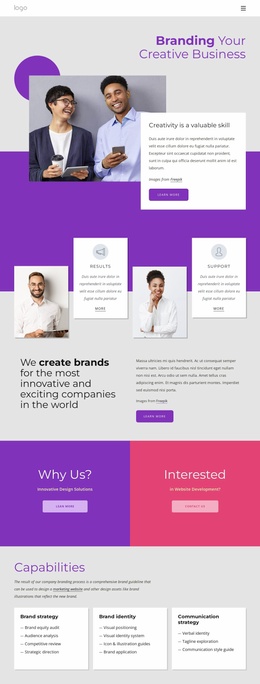
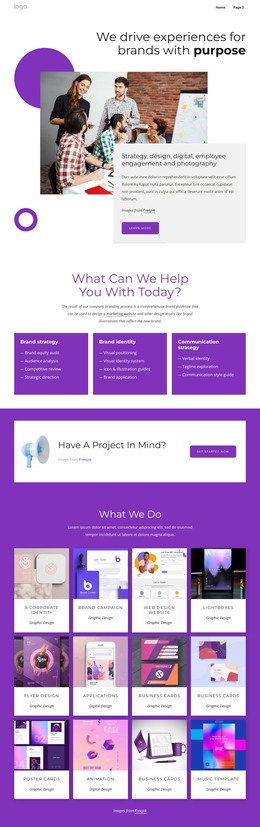
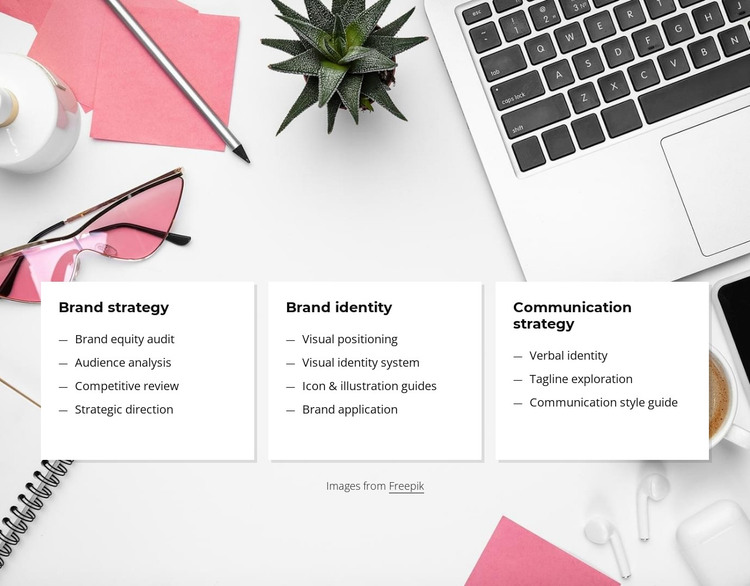
The card row reads as stable services content that can sit within a WordPress-managed page. Its three headings establish distinct content areas: Brand strategy covers Brand equity audit, Audience analysis, Competitive review, and Strategic direction; Brand identity covers Visual positioning, Visual identity system, Icon & illustration guides, and Brand application; Communication strategy covers Verbal identity, Tagline exploration, and Communication style guide. The structure is specific enough to present a defined offering without requiring the section to carry an entire page.
For a page-oriented WordPress context, the repeated cards work as durable content rather than a changing stream of posts. Each category can remain visually consistent while the surrounding project supplies related pages, supporting explanations, portfolio material, or contact content. The single horizontal row also makes the three service areas immediately comparable, which is useful when the section introduces the scope of a branding practice.
The visual treatment reinforces that stable role. White rectangular cards, dark text, compact lists, subtle borders, and soft shadows create a restrained editorial surface, while the pale gray and white background image with pink stationery adds creative context behind the content. Used in a broader WordPress site, the block can anchor a services area and preserve a clear relationship between strategic planning, visual identity work, and communication guidance without presenting itself as a complete theme.
Customize with Nicepage
Open this ready-made template in the WordPress Website Builder and customize it visually in the Nicepage editor. Replace demo content, edit page sections, and adapt the design to your project without rebuilding the template from scratch.
Edit Template Offline
2. Create a new page or select existing
3. Click Add new block, search for id 429416 and click enter
Edit Template Online
Create Awesome Websites


Free Nicepage Builder
Keywords
Manage and Edit This Theme in WordPress
Customize and Install the WordPress Theme
Start with this ready-made theme instead of building the WordPress design from scratch. Customize its layout, content, typography, images, sections, and other design elements visually in Nicepage editor, then export and install the WordPress Theme, Plugin, and Pages on your WordPress site. The Nicepage WordPress Plugin lets you continue working with the site after installation.
Edit the Theme Directly in WordPress
After installation, you can edit the WordPress Theme directly in WordPress with the Nicepage WordPress Plugin. Use Site Style to customize site Colors, Fonts, Header, Footer, Blog, and Post Page Templates while working within your WordPress website.
Edit WordPress Pages Visually
Use the Nicepage WordPress Plugin to edit page content directly from the WordPress admin area. Open a WordPress Page with Nicepage and visually change its text, images, sections, and other page elements while continuing to manage the Page through WordPress.
WordPress Content and Theme Integration
Use the customized theme with WordPress Pages, Posts, Blog and Post Templates, menus, widgets, and other CMS-managed content. Shared theme elements such as Colors, Fonts, Header, Footer, Blog, and Post Page Templates can be managed as part of the overall site design, while WordPress provides the CMS environment for managing site content.
This workflow combines a ready-made WordPress Theme with visual customization, direct theme editing in WordPress, and continued content management through the Nicepage WordPress Plugin.