Gallery of contemporary art WordPress Theme


An Art-Gallery Introduction as Stable Page Content
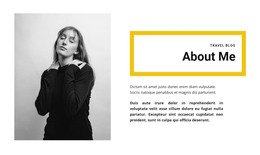
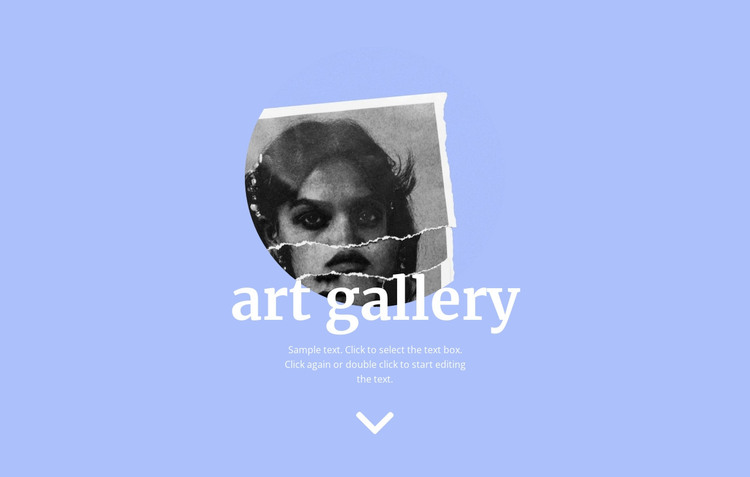
The portrait and “art gallery” heading give this section a clear subject before the supporting paragraph adds context. A downward arrow sits beneath the paragraph as a visual continuation point, suggesting that more content can follow below the section without making the block responsible for the entire page journey. The result is a compact introduction that can remain recognizable as permanent page content in a WordPress-managed project.
Its visual logic comes from the relationship between a single circular image and the centered text beneath it. The black-and-white portrait contrasts with the periwinkle-blue full-width background, while white lettering keeps the heading and paragraph tied to the same visual field. The large serif heading carries the strongest emphasis; the smaller paragraph and generous vertical spacing slow the reading order and keep the composition open. The arrow completes the sequence by reinforcing the downward movement from introduction toward subsequent content.
Within a WordPress-oriented page, this block can provide the art-gallery opening while other content areas handle artwork collections, artist information, or supporting editorial material. It is therefore useful as a stable visual section that can sit alongside broader CMS-managed content, not as a complete theme or site. The section’s identity remains anchored in its portrait, heading, paragraph, and centered presentation.
Customize with Nicepage
Open this ready-made template in the WordPress Website Builder and customize it visually in the Nicepage editor. Replace demo content, edit page sections, and adapt the design to your project without rebuilding the template from scratch.
Edit Template Offline
2. Create a new page or select existing
3. Click Add new block, search for id 427040 and click enter
Edit Template Online
Create Awesome Websites


Free Nicepage Builder
Keywords
Manage and Edit This Theme in WordPress
Customize and Install the WordPress Theme
Start with this ready-made theme instead of building the WordPress design from scratch. Customize its layout, content, typography, images, sections, and other design elements visually in Nicepage editor, then export and install the WordPress Theme, Plugin, and Pages on your WordPress site. The Nicepage WordPress Plugin lets you continue working with the site after installation.
Edit the Theme Directly in WordPress
After installation, you can edit the WordPress Theme directly in WordPress with the Nicepage WordPress Plugin. Use Site Style to customize site Colors, Fonts, Header, Footer, Blog, and Post Page Templates while working within your WordPress website.
Edit WordPress Pages Visually
Use the Nicepage WordPress Plugin to edit page content directly from the WordPress admin area. Open a WordPress Page with Nicepage and visually change its text, images, sections, and other page elements while continuing to manage the Page through WordPress.
WordPress Content and Theme Integration
Use the customized theme with WordPress Pages, Posts, Blog and Post Templates, menus, widgets, and other CMS-managed content. Shared theme elements such as Colors, Fonts, Header, Footer, Blog, and Post Page Templates can be managed as part of the overall site design, while WordPress provides the CMS environment for managing site content.
This workflow combines a ready-made WordPress Theme with visual customization, direct theme editing in WordPress, and continued content management through the Nicepage WordPress Plugin.