We are specialists in WordPress Theme


Six Stable Capability Items for Managed Page Content
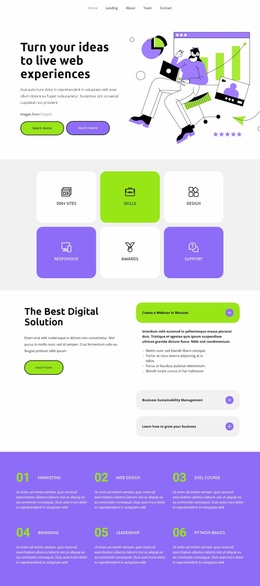
The six labels give this block the character of stable page content rather than a time-based editorial stream. 500+ Sites, Skills, Design, Responsive, Awards, and Support can be presented together as a concise capabilities area, with each item visually anchored by a centered line-style icon. The three-column, two-row arrangement keeps the group compact and makes the six items read as parallel pieces of information within one page section.
Its visual structure also supports consistent content presentation. The purple second tile and yellow tiles in the lower-left and lower-right positions distinguish selected items, while light gray and white fills keep the remaining positions quieter. Centered alignment is shared by every tile, so color variation does not alter the content hierarchy. Generous spacing separates the icon from its label and the tiles from one another. Rounded organic shapes at the outer edges add a decorative frame without introducing another editorial or functional region.
In a WordPress-oriented project, this block can participate as a reusable capabilities section inside managed page content. The wider site can handle navigation, other pages, and changing editorial material separately, while this section retains its focused six-item presentation. Its stable labels and repeatable tile structure make it suitable when a page needs a visually consistent summary of skills, design, responsive work, awards, support, and the displayed sites claim.
Customize with Nicepage
Open this ready-made template in the WordPress Website Builder and customize it visually in the Nicepage editor. Replace demo content, edit page sections, and adapt the design to your project without rebuilding the template from scratch.
Edit Template Offline
2. Create a new page or select existing
3. Click Add new block, search for id 3943269 and click enter
Edit Template Online
Create Awesome Websites


Free Nicepage Builder
Keywords
Manage and Edit This Theme in WordPress
Customize and Install the WordPress Theme
Start with this ready-made theme instead of building the WordPress design from scratch. Customize its layout, content, typography, images, sections, and other design elements visually in Nicepage editor, then export and install the WordPress Theme, Plugin, and Pages on your WordPress site. The Nicepage WordPress Plugin lets you continue working with the site after installation.
Edit the Theme Directly in WordPress
After installation, you can edit the WordPress Theme directly in WordPress with the Nicepage WordPress Plugin. Use Site Style to customize site Colors, Fonts, Header, Footer, Blog, and Post Page Templates while working within your WordPress website.
Edit WordPress Pages Visually
Use the Nicepage WordPress Plugin to edit page content directly from the WordPress admin area. Open a WordPress Page with Nicepage and visually change its text, images, sections, and other page elements while continuing to manage the Page through WordPress.
WordPress Content and Theme Integration
Use the customized theme with WordPress Pages, Posts, Blog and Post Templates, menus, widgets, and other CMS-managed content. Shared theme elements such as Colors, Fonts, Header, Footer, Blog, and Post Page Templates can be managed as part of the overall site design, while WordPress provides the CMS environment for managing site content.
This workflow combines a ready-made WordPress Theme with visual customization, direct theme editing in WordPress, and continued content management through the Nicepage WordPress Plugin.