Raise your level WordPress Theme


Centered Coaching Content for a WordPress-Managed Page
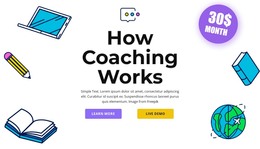
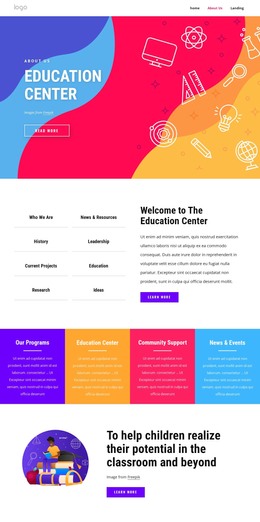
The heading “How Coaching Works” and the supporting paragraph form stable page content that can introduce a coaching subject inside a WordPress-managed site. Their centered alignment gives the section a clear reading order: visitors encounter the topic first, then the short explanation, before reaching the available actions. This makes the block suitable for a permanent introductory area rather than a stream of dated editorial entries.
Below the paragraph, “Learn More” and “Live Demo” appear as two side-by-side calls to action. In a broader WordPress project, these labels can support separate destinations when the page content provides them, such as explanatory material and a demonstration. The block contributes the visual action point and its placement beneath the message, while the surrounding CMS-managed page determines the larger content context and destination structure.
The illustrated background gives the section a recognizable subject without depending on a complex component. A laptop, pencil, books, globe, and monthly-price badge sit around the light gray field, leaving the large black heading and central copy visually prominent. Purple and yellow rounded fills distinguish the two buttons. As reusable WordPress page content, the section can introduce the site’s coaching offer while related content areas provide fuller explanations, resources, or contact information.
Customize with Nicepage
Open this ready-made template in the WordPress Website Builder and customize it visually in the Nicepage editor. Replace demo content, edit page sections, and adapt the design to your project without rebuilding the template from scratch.
Edit Template Offline
2. Create a new page or select existing
3. Click Add new block, search for id 3942608 and click enter
Edit Template Online
Create Awesome Websites


Free Nicepage Builder
Keywords
Manage and Edit This Theme in WordPress
Customize and Install the WordPress Theme
Start with this ready-made theme instead of building the WordPress design from scratch. Customize its layout, content, typography, images, sections, and other design elements visually in Nicepage editor, then export and install the WordPress Theme, Plugin, and Pages on your WordPress site. The Nicepage WordPress Plugin lets you continue working with the site after installation.
Edit the Theme Directly in WordPress
After installation, you can edit the WordPress Theme directly in WordPress with the Nicepage WordPress Plugin. Use Site Style to customize site Colors, Fonts, Header, Footer, Blog, and Post Page Templates while working within your WordPress website.
Edit WordPress Pages Visually
Use the Nicepage WordPress Plugin to edit page content directly from the WordPress admin area. Open a WordPress Page with Nicepage and visually change its text, images, sections, and other page elements while continuing to manage the Page through WordPress.
WordPress Content and Theme Integration
Use the customized theme with WordPress Pages, Posts, Blog and Post Templates, menus, widgets, and other CMS-managed content. Shared theme elements such as Colors, Fonts, Header, Footer, Blog, and Post Page Templates can be managed as part of the overall site design, while WordPress provides the CMS environment for managing site content.
This workflow combines a ready-made WordPress Theme with visual customization, direct theme editing in WordPress, and continued content management through the Nicepage WordPress Plugin.