Small part WordPress Theme


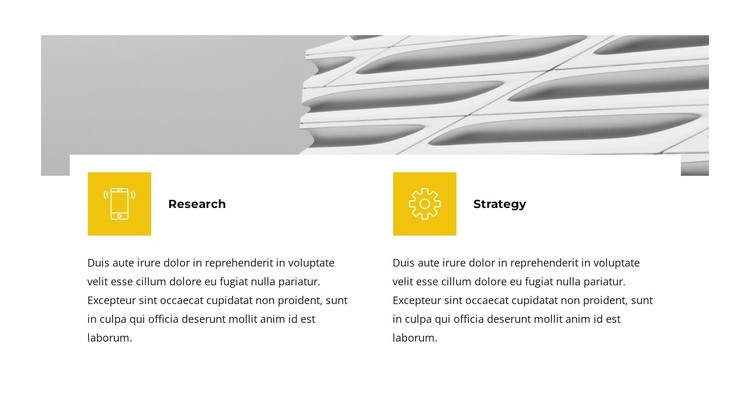
Two Service Items Turn Architectural Context Into Page Content
The architectural image carries the broad visual context of the section, but the lower row gives that context a practical content role. Research and Strategy appear as two adjacent service items, each supported by a yellow square icon and a descriptive paragraph. The matching structure helps readers compare the two areas while keeping each explanation independent. Nothing in the arrangement depends on rotation, tabs, or other interaction; the information is available at a glance.
For a WordPress-managed page, the block can function as stable services content within a wider site. Its concise two-item model is appropriate for a page that needs to explain areas of work without expanding into a complete service catalogue. Other content can surround it, while this section preserves a focused presentation of the two named offerings. The broad image can introduce the visual theme before the text columns provide a more direct explanation.
The block also offers a consistent visual pattern for page content: a neutral white field, dark typography, repeated yellow markers, and evenly spaced columns. That pattern can sit comfortably beside other WordPress-managed sections while remaining identifiable as one service area. In practice, it provides a compact place for permanent page information, with the wider project responsible for navigation, supporting sections, and any additional editorial content.
Customize with Nicepage
Open this ready-made template in the WordPress Website Builder and customize it visually in the Nicepage editor. Replace demo content, edit page sections, and adapt the design to your project without rebuilding the template from scratch.
Edit Template Offline
2. Create a new page or select existing
3. Click Add new block, search for id 3107331 and click enter
Edit Template Online
Create Awesome Websites


Free Nicepage Builder
Keywords
Manage and Edit This Theme in WordPress
Customize and Install the WordPress Theme
Start with this ready-made theme instead of building the WordPress design from scratch. Customize its layout, content, typography, images, sections, and other design elements visually in Nicepage editor, then export and install the WordPress Theme, Plugin, and Pages on your WordPress site. The Nicepage WordPress Plugin lets you continue working with the site after installation.
Edit the Theme Directly in WordPress
After installation, you can edit the WordPress Theme directly in WordPress with the Nicepage WordPress Plugin. Use Site Style to customize site Colors, Fonts, Header, Footer, Blog, and Post Page Templates while working within your WordPress website.
Edit WordPress Pages Visually
Use the Nicepage WordPress Plugin to edit page content directly from the WordPress admin area. Open a WordPress Page with Nicepage and visually change its text, images, sections, and other page elements while continuing to manage the Page through WordPress.
WordPress Content and Theme Integration
Use the customized theme with WordPress Pages, Posts, Blog and Post Templates, menus, widgets, and other CMS-managed content. Shared theme elements such as Colors, Fonts, Header, Footer, Blog, and Post Page Templates can be managed as part of the overall site design, while WordPress provides the CMS environment for managing site content.
This workflow combines a ready-made WordPress Theme with visual customization, direct theme editing in WordPress, and continued content management through the Nicepage WordPress Plugin.