Full-service architecture WordPress Theme


Numbered Service Cards as Stable WordPress Page Content
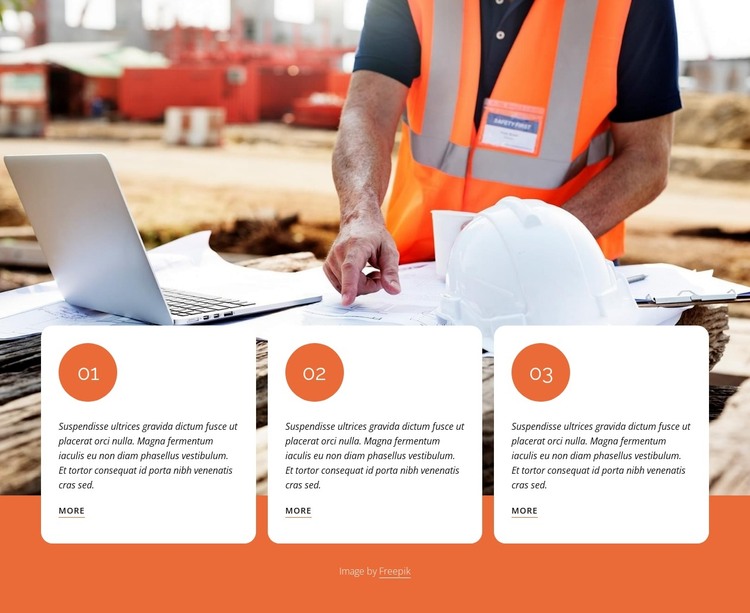
The repeated card pattern reads as stable page content: three comparable information units, each with its own numbered marker, description paragraph, and More link. The 01, 02, and 03 sequence can organize a set of construction explanations or process-oriented entries without requiring the visitor to interact with a carousel or expandable control. In a WordPress-managed site, this makes the section a practical visual container for lasting service information that can sit within a broader page composition.
The construction-site photograph supplies the visual setting, spanning the section behind the cards. Its relationship with the content is deliberately layered: the white rounded cards cross the lower image edge and continue over the orange field, so the photograph introduces the subject while the cards carry the readable detail. Dark typography, generous spacing, and repeated alignment help the three entries retain equal weight. Each underlined More link creates a separate continuation point for related information elsewhere in the surrounding page or site.
The block can therefore fit a WordPress-oriented page as a durable services or process area, while other CMS-managed content develops around it. Its fixed three-column structure is most useful when the items are short and parallel, since visitors can compare them in one view. The orange markers also provide a simple visual index that can remain meaningful even when the descriptive text is revised for the site's current content.
Customize with Nicepage
Open this ready-made template in the WordPress Website Builder and customize it visually in the Nicepage editor. Replace demo content, edit page sections, and adapt the design to your project without rebuilding the template from scratch.
Edit Template Offline
2. Create a new page or select existing
3. Click Add new block, search for id 3085864 and click enter
Edit Template Online
Create Awesome Websites


Free Nicepage Builder
Keywords
Manage and Edit This Theme in WordPress
Customize and Install the WordPress Theme
Start with this ready-made theme instead of building the WordPress design from scratch. Customize its layout, content, typography, images, sections, and other design elements visually in Nicepage editor, then export and install the WordPress Theme, Plugin, and Pages on your WordPress site. The Nicepage WordPress Plugin lets you continue working with the site after installation.
Edit the Theme Directly in WordPress
After installation, you can edit the WordPress Theme directly in WordPress with the Nicepage WordPress Plugin. Use Site Style to customize site Colors, Fonts, Header, Footer, Blog, and Post Page Templates while working within your WordPress website.
Edit WordPress Pages Visually
Use the Nicepage WordPress Plugin to edit page content directly from the WordPress admin area. Open a WordPress Page with Nicepage and visually change its text, images, sections, and other page elements while continuing to manage the Page through WordPress.
WordPress Content and Theme Integration
Use the customized theme with WordPress Pages, Posts, Blog and Post Templates, menus, widgets, and other CMS-managed content. Shared theme elements such as Colors, Fonts, Header, Footer, Blog, and Post Page Templates can be managed as part of the overall site design, while WordPress provides the CMS environment for managing site content.
This workflow combines a ready-made WordPress Theme with visual customization, direct theme editing in WordPress, and continued content management through the Nicepage WordPress Plugin.