Laugth with each other WordPress Theme


The Event Statement Anchors Stable Page Content
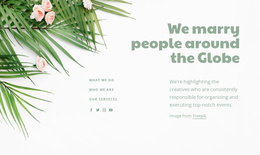
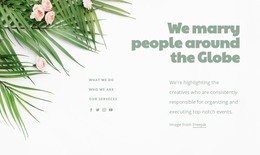
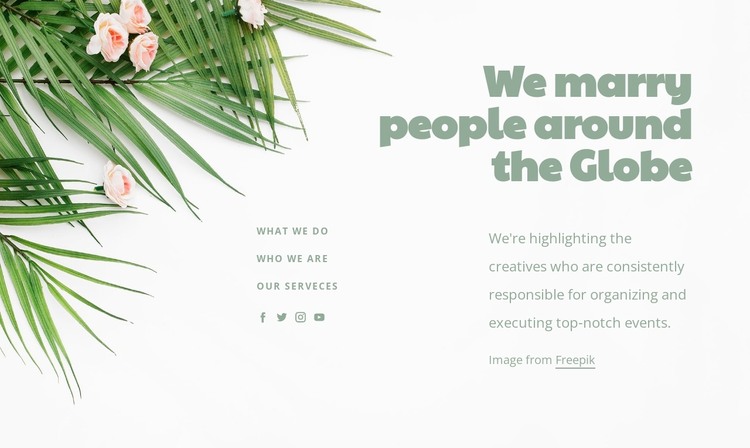
The upper-right heading, “We marry people around the Globe,” gives the section a durable identity that can work as permanent page content in a WordPress-managed site. It introduces the wedding and event theme directly, while the leafy floral image along the left edge supplies the visual frame. The mostly white field and generous spacing prevent the decorative background from competing with the statement.
Below, the block shifts from identity to access and explanation. Three links—“What We Do,” “Who We Are,” and “Our Serveces”—create a compact set of related content destinations, while the adjacent paragraph describes creatives who are responsible for organizing and executing events. Four social media icon links provide an additional connection point for the organization’s wider presence. The lower arrangement therefore supports both stable explanatory content and movement toward related sections.
Within a WordPress-oriented page, this block can serve as a reusable about or introduction region while other CMS-managed content handles detailed services, event examples, or contact information. Its value lies in keeping the message, section access, floral treatment, and social links together as one coherent page area. The block contributes publishable visual content without being treated as a complete WordPress theme or an entire site structure.
Customize with Nicepage
Open this ready-made template in the WordPress Website Builder and customize it visually in the Nicepage editor. Replace demo content, edit page sections, and adapt the design to your project without rebuilding the template from scratch.
Edit Template Offline
2. Create a new page or select existing
3. Click Add new block, search for id 238433 and click enter
Edit Template Online
Create Awesome Websites


Free Nicepage Builder
Keywords
Manage and Edit This Theme in WordPress
Customize and Install the WordPress Theme
Start with this ready-made theme instead of building the WordPress design from scratch. Customize its layout, content, typography, images, sections, and other design elements visually in Nicepage editor, then export and install the WordPress Theme, Plugin, and Pages on your WordPress site. The Nicepage WordPress Plugin lets you continue working with the site after installation.
Edit the Theme Directly in WordPress
After installation, you can edit the WordPress Theme directly in WordPress with the Nicepage WordPress Plugin. Use Site Style to customize site Colors, Fonts, Header, Footer, Blog, and Post Page Templates while working within your WordPress website.
Edit WordPress Pages Visually
Use the Nicepage WordPress Plugin to edit page content directly from the WordPress admin area. Open a WordPress Page with Nicepage and visually change its text, images, sections, and other page elements while continuing to manage the Page through WordPress.
WordPress Content and Theme Integration
Use the customized theme with WordPress Pages, Posts, Blog and Post Templates, menus, widgets, and other CMS-managed content. Shared theme elements such as Colors, Fonts, Header, Footer, Blog, and Post Page Templates can be managed as part of the overall site design, while WordPress provides the CMS environment for managing site content.
This workflow combines a ready-made WordPress Theme with visual customization, direct theme editing in WordPress, and continued content management through the Nicepage WordPress Plugin.