Wedding Photographers WordPress Theme


Edit Template Offline
2. Create new page and search for id 31323
Edit Template Online
Create Awesome Websites


Free Nicepage Builder
Keywords
Permanent portfolio content and studio stories share one visual system
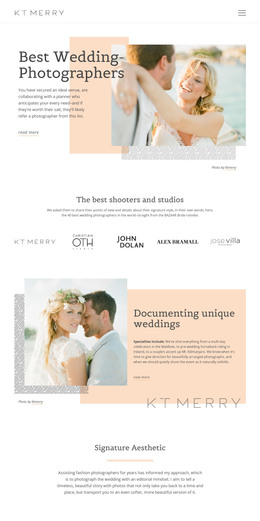
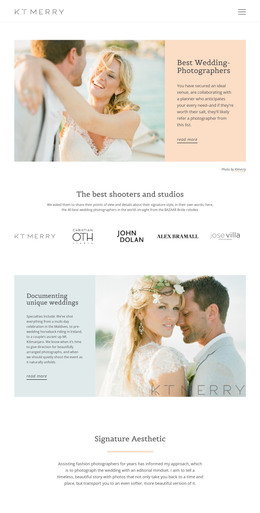
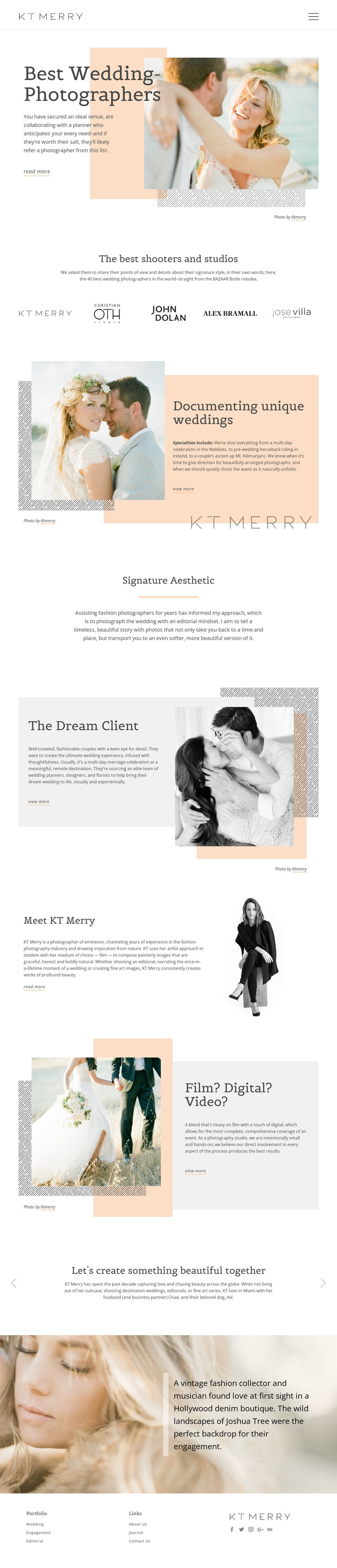
The design contains several clear areas for page-oriented photography content. The hero can introduce the studio’s main message, while the Wedding, Engagement, and Editorial categories in the footer point toward different portfolio subjects. “Documenting unique weddings” and “Signature Aesthetic” add explanatory content around the images, preventing the site from functioning as a collection of disconnected photographs. The five photographer or studio marks provide another recurring content group between the opening and the deeper studio story.
The personal sections give the page a second publishing direction. “The Dream Client” describes the intended audience, “Meet KT Merry” presents a biography, and “Film? Digital? Video?” explains the studio’s media approach. Together, these areas can be interpreted as permanent page content that helps prospective clients understand the person, style, and process behind the portfolio. The three-slide text section and engagement caption can support additional stories without changing the main visual character.
In a WordPress-managed environment, the benefit is the connection between these content areas and a consistent theme presentation. The design can accommodate page content and, if the project later adds regularly updated editorial material, that material can be placed around the established portfolio and studio structure. The template analysis does not verify existing WordPress Posts or blog sections, so the appropriate claim is adaptation: the visual system gives managed photography content a coherent place rather than proving that CMS content already exists.
Customize with Nicepage
Open this ready-made template in the WordPress Website Builder and customize it visually in the Nicepage editor. Replace demo content, edit page sections, and adapt the design to your project without rebuilding the template from scratch.
Manage and Edit This Theme in WordPress
Customize and Install the WordPress Theme
Start with this ready-made theme instead of building the WordPress design from scratch. Customize its layout, content, typography, images, sections, and other design elements visually in Nicepage editor, then export and install the WordPress Theme, Plugin, and Pages on your WordPress site. The Nicepage WordPress Plugin lets you continue working with the site after installation.
Edit the Theme Directly in WordPress
After installation, you can edit the WordPress Theme directly in WordPress with the Nicepage WordPress Plugin. Use Site Style to customize site Colors, Fonts, Header, Footer, Blog, and Post Page Templates while working within your WordPress website.
Edit WordPress Pages Visually
Use the Nicepage WordPress Plugin to edit page content directly from the WordPress admin area. Open a WordPress Page with Nicepage and visually change its text, images, sections, and other page elements while continuing to manage the Page through WordPress.
WordPress Content and Theme Integration
Use the customized theme with WordPress Pages, Posts, Blog and Post Templates, menus, widgets, and other CMS-managed content. Shared theme elements such as Colors, Fonts, Header, Footer, Blog, and Post Page Templates can be managed as part of the overall site design, while WordPress provides the CMS environment for managing site content.
This workflow combines a ready-made WordPress Theme with visual customization, direct theme editing in WordPress, and continued content management through the Nicepage WordPress Plugin.