Inspiration WordPress Theme
Edit Template Offline
2. Create new page and search for id 23682
Edit Template Online
Create Awesome Websites


Free Nicepage Builder
Keywords
Visual Project Content Fits a Page-Oriented WordPress Structure
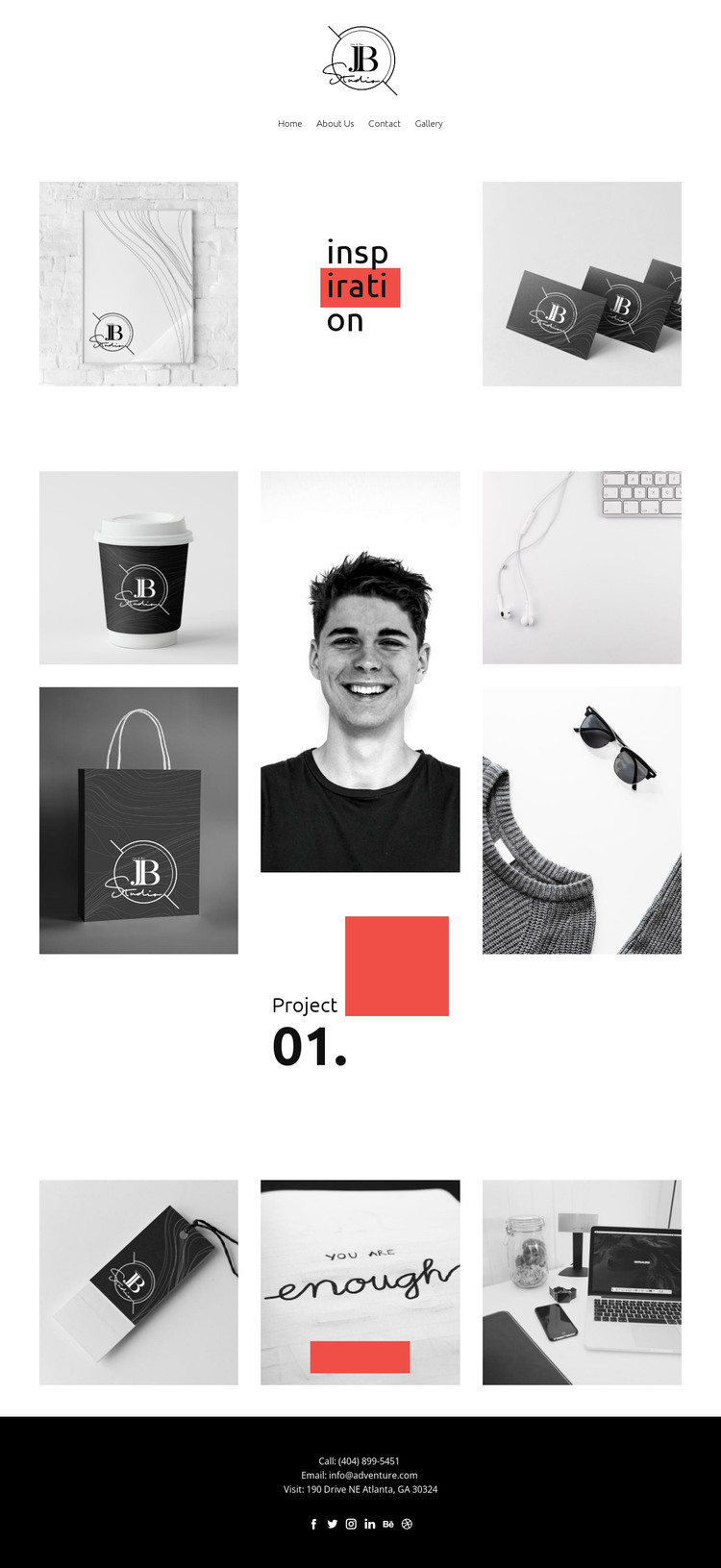
The six-image Project collage gives the design a strong page-content center: portrait, lifestyle, and product photography are grouped around a project label and number rather than scattered across unrelated areas. That makes the visual material easy to interpret as a featured project or portfolio section within a WordPress-managed page. The additional three-image gallery can serve a different content grouping, preserving a distinction between the primary project presentation and supporting imagery.
The header’s Home, About Us, Contact, and Gallery links also establish page-oriented destinations without proving that WordPress Pages or Posts already exist in the template. The opening section can carry the visual introduction, while the dark footer provides shared contact and social content. Its Facebook, Twitter, Instagram, LinkedIn, Behance, and Dribbble links create a natural connection between permanent site information and externally maintained creative profiles.
This interpretation is different from a generic CMS label because it follows the template’s content relationships. The design is particularly suited to a project where permanent explanatory pages surround visual work and the galleries remain central to the site’s identity. If regularly updated editorial material is later added, it should be introduced as new content within the same visual system rather than assumed to be present now. Nicepage’s WordPress Plugin can support editing WordPress content, but the main value here is the existing separation between introduction, project imagery, secondary gallery, navigation, and contact closure.
Customize with Nicepage
Open this ready-made template in the WordPress Website Builder and customize it visually in the Nicepage editor. Replace demo content, edit page sections, and adapt the design to your project without rebuilding the template from scratch.
Manage and Edit This Theme in WordPress
Customize and Install the WordPress Theme
Start with this ready-made theme instead of building the WordPress design from scratch. Customize its layout, content, typography, images, sections, and other design elements visually in Nicepage editor, then export and install the WordPress Theme, Plugin, and Pages on your WordPress site. The Nicepage WordPress Plugin lets you continue working with the site after installation.
Edit the Theme Directly in WordPress
After installation, you can edit the WordPress Theme directly in WordPress with the Nicepage WordPress Plugin. Use Site Style to customize site Colors, Fonts, Header, Footer, Blog, and Post Page Templates while working within your WordPress website.
Edit WordPress Pages Visually
Use the Nicepage WordPress Plugin to edit page content directly from the WordPress admin area. Open a WordPress Page with Nicepage and visually change its text, images, sections, and other page elements while continuing to manage the Page through WordPress.
WordPress Content and Theme Integration
Use the customized theme with WordPress Pages, Posts, Blog and Post Templates, menus, widgets, and other CMS-managed content. Shared theme elements such as Colors, Fonts, Header, Footer, Blog, and Post Page Templates can be managed as part of the overall site design, while WordPress provides the CMS environment for managing site content.
This workflow combines a ready-made WordPress Theme with visual customization, direct theme editing in WordPress, and continued content management through the Nicepage WordPress Plugin.