
Progressive design art WordPress Theme


Edit Template Offline
2. Create new page and search for id 18727
Edit Template Online
Create Awesome Websites


Free Nicepage Builder
Keywords
Studio Statements and Artwork Create Reusable Page Content
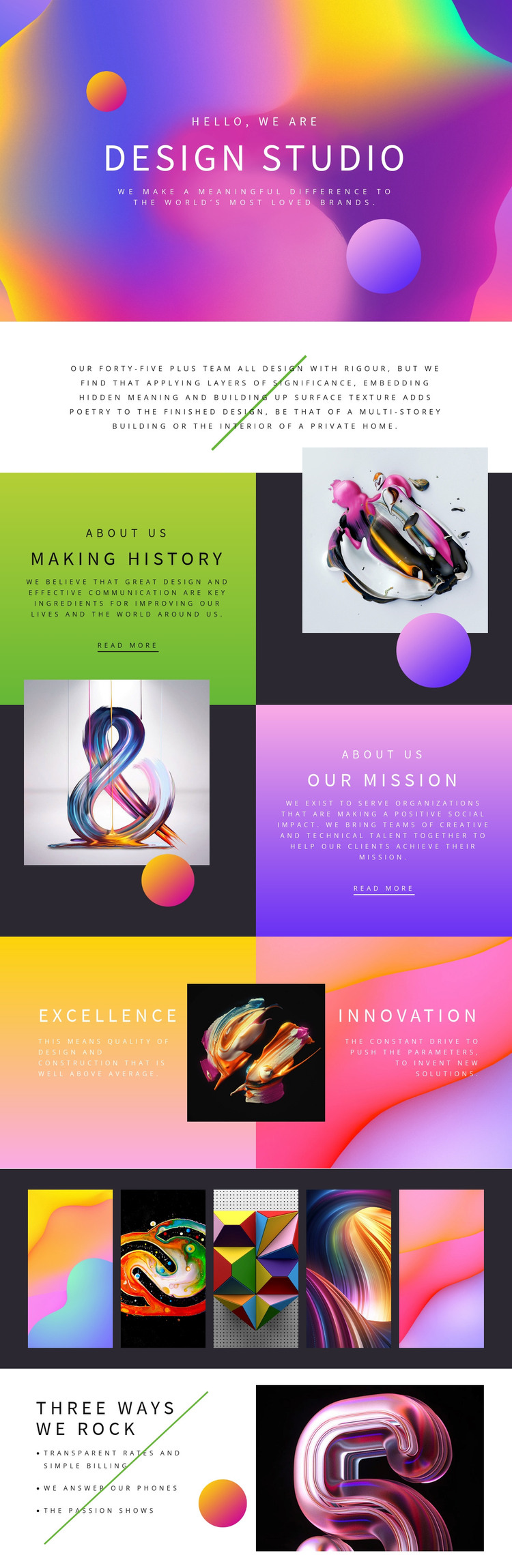
The design provides several kinds of permanent page content that can work together in a WordPress-managed visual system. The opening “design studio” statement and centered overview establish the main identity, while “Making history” and “OUR MISSION” supply longer-form informational areas with clear text-and-image relationships. Their separate panels make the studio story easier to maintain than a single block of uninterrupted copy, while the read-more actions identify places where related information could be connected later.
The Excellence and Innovation panels add repeatable value content, and the five adjacent artwork images create a compact visual-work section. The closing “Three Ways We Rock” list contributes three distinct quality points: Transparent Rates and Simple Billing, We Answer Our Phones, and The Passion Shows. These areas can be understood as page content and recurring presentation patterns without claiming that posts, categories, or blog structures already exist in the template.
For a WordPress theme interpretation, the main benefit is the connection between editorial statements and visual assets. Permanent studio information can retain the page’s typography, color contrast, and image-led composition, while future published content could be introduced around the same design direction when the project requires it. The confirmed template remains a single studio profile page, so broader WordPress content architecture should be added only as the site develops.
Customize with Nicepage
Open this ready-made template in the WordPress Website Builder and customize it visually in the Nicepage editor. Replace demo content, edit page sections, and adapt the design to your project without rebuilding the template from scratch.
Manage and Edit This Theme in WordPress
Customize and Install the WordPress Theme
Start with this ready-made theme instead of building the WordPress design from scratch. Customize its layout, content, typography, images, sections, and other design elements visually in Nicepage editor, then export and install the WordPress Theme, Plugin, and Pages on your WordPress site. The Nicepage WordPress Plugin lets you continue working with the site after installation.
Edit the Theme Directly in WordPress
After installation, you can edit the WordPress Theme directly in WordPress with the Nicepage WordPress Plugin. Use Site Style to customize site Colors, Fonts, Header, Footer, Blog, and Post Page Templates while working within your WordPress website.
Edit WordPress Pages Visually
Use the Nicepage WordPress Plugin to edit page content directly from the WordPress admin area. Open a WordPress Page with Nicepage and visually change its text, images, sections, and other page elements while continuing to manage the Page through WordPress.
WordPress Content and Theme Integration
Use the customized theme with WordPress Pages, Posts, Blog and Post Templates, menus, widgets, and other CMS-managed content. Shared theme elements such as Colors, Fonts, Header, Footer, Blog, and Post Page Templates can be managed as part of the overall site design, while WordPress provides the CMS environment for managing site content.
This workflow combines a ready-made WordPress Theme with visual customization, direct theme editing in WordPress, and continued content management through the Nicepage WordPress Plugin.





















