Understanding leadership WordPress Theme


Leadership Topics Form Stable Page Content for WordPress
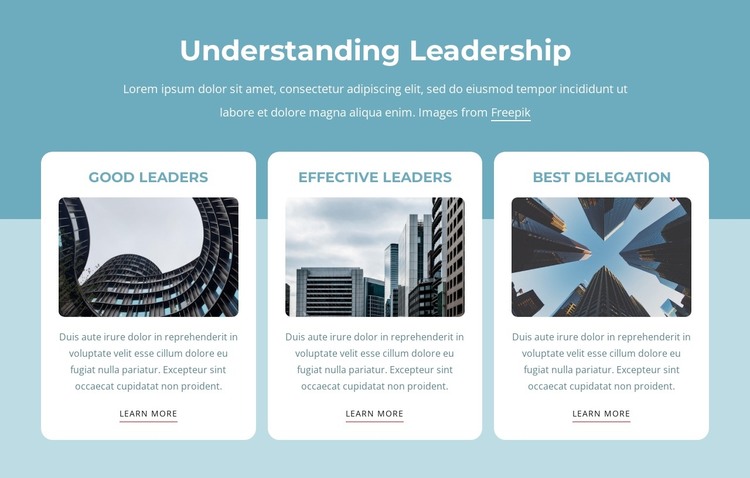
The centered “Understanding Leadership” heading and supporting paragraph give this section a clear subject for a WordPress-managed page. Beneath them, the three repeated cards organize the content into stable topic units: “Good Leaders,” “Effective Leaders,” and “Best Delegation.” Each unit combines an image, descriptive text, and “Learn More” link, making the block suitable for permanent informational content that can remain part of a leadership, services, or educational page as the wider project develops.
The three-column row preserves the relationship between the topics, while the repeated card structure keeps updates visually consistent. White rounded surfaces distinguish the content units, teal headings provide a shared title treatment, and softly rounded image corners maintain the same visual language across the row. The centered alignment and regular spacing also make the section easy to place between other page-content areas without confusing it with site-level navigation or other global structures.
In a WordPress-oriented context, the block can function as a reusable visual section whose text, images, and link destinations are adapted to the project’s publishing needs. Its existing “Learn More” links offer topic-level paths, while the surrounding site can provide other pages and content types. The block itself remains one leadership section; it is not a standalone WordPress Theme. Its main contribution is a structured, publishable content area with three related items and a consistent presentation.
Customize with Nicepage
Open this ready-made template in the WordPress Website Builder and customize it visually in the Nicepage editor. Replace demo content, edit page sections, and adapt the design to your project without rebuilding the template from scratch.
Edit Template Offline
2. Create a new page or select existing
3. Click Add new block, search for id 1649519 and click enter
Edit Template Online
Create Awesome Websites


Free Nicepage Builder
Keywords
Manage and Edit This Theme in WordPress
Customize and Install the WordPress Theme
Start with this ready-made theme instead of building the WordPress design from scratch. Customize its layout, content, typography, images, sections, and other design elements visually in Nicepage editor, then export and install the WordPress Theme, Plugin, and Pages on your WordPress site. The Nicepage WordPress Plugin lets you continue working with the site after installation.
Edit the Theme Directly in WordPress
After installation, you can edit the WordPress Theme directly in WordPress with the Nicepage WordPress Plugin. Use Site Style to customize site Colors, Fonts, Header, Footer, Blog, and Post Page Templates while working within your WordPress website.
Edit WordPress Pages Visually
Use the Nicepage WordPress Plugin to edit page content directly from the WordPress admin area. Open a WordPress Page with Nicepage and visually change its text, images, sections, and other page elements while continuing to manage the Page through WordPress.
WordPress Content and Theme Integration
Use the customized theme with WordPress Pages, Posts, Blog and Post Templates, menus, widgets, and other CMS-managed content. Shared theme elements such as Colors, Fonts, Header, Footer, Blog, and Post Page Templates can be managed as part of the overall site design, while WordPress provides the CMS environment for managing site content.
This workflow combines a ready-made WordPress Theme with visual customization, direct theme editing in WordPress, and continued content management through the Nicepage WordPress Plugin.