
Trends Of Design WordPress Theme


Edit Template Offline
2. Create new page and search for id 14351
Edit Template Online
Create Awesome Websites


Free Nicepage Builder
Keywords
Glitch Galleries and Gradient Sections Organize the Editorial Content
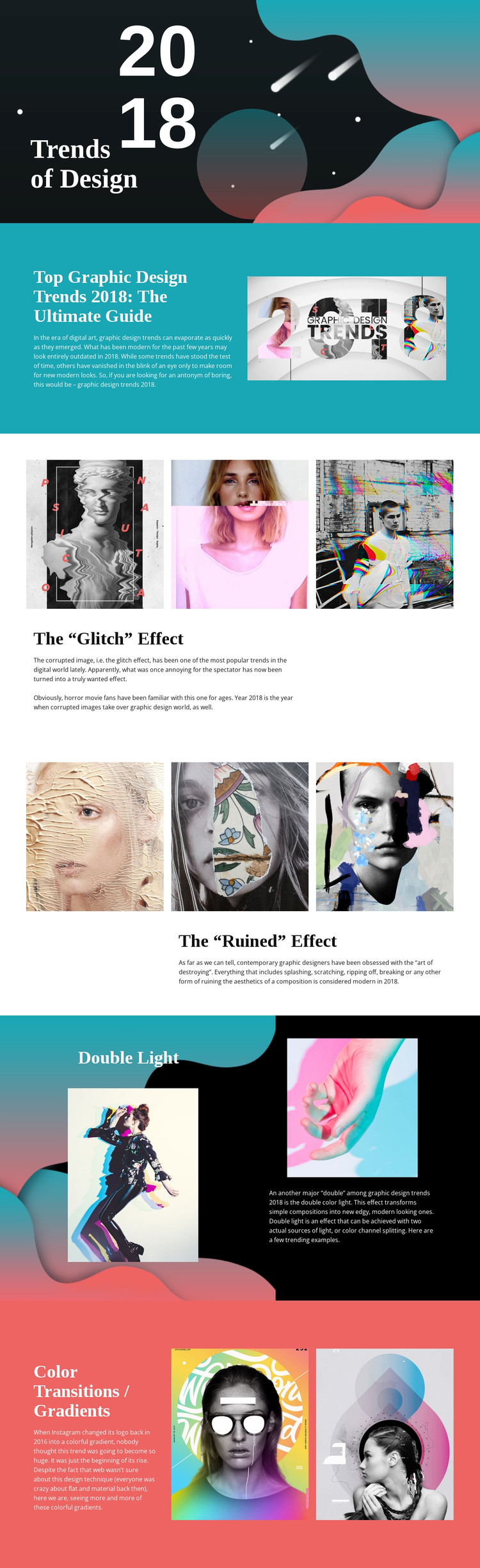
The opening “Trends of Design” title and 2018 treatment provide a clear page-oriented introduction for a WordPress project, while the guide section establishes the article’s main subject before the more specific visual discussions begin. This division gives permanent editorial content a recognizable starting point rather than presenting the page as an unstructured collection of images. The abstract opening image and supporting guide image also create distinct visual contexts for the introductory material.
The trend sections offer several content relationships that can remain part of the same theme design. The three-image glitch row and matching three-image ruined row place visual examples before explanatory text, making each topic easy to distinguish. Double Light uses two examples in a darker split layout, while Color Transitions / Gradients closes the article with two colorful references and a discussion that mentions Instagram. These sections could support page content about design subjects, references, or visual commentary while retaining their different image-to-text patterns.
Large serif headings and compact sans-serif paragraphs give the content a consistent editorial hierarchy across those areas. Cyan and coral fields, black-and-white contrast, and generous spacing help separate topics without changing the overall visual character. In a WordPress-managed project, the template can therefore provide a defined presentation for enduring design pages while leaving room for related editorial content to follow the same visual system.
Customize with Nicepage
Open this ready-made template in the WordPress Website Builder and customize it visually in the Nicepage editor. Replace demo content, edit page sections, and adapt the design to your project without rebuilding the template from scratch.
Manage and Edit This Theme in WordPress
Customize and Install the WordPress Theme
Start with this ready-made theme instead of building the WordPress design from scratch. Customize its layout, content, typography, images, sections, and other design elements visually in Nicepage editor, then export and install the WordPress Theme, Plugin, and Pages on your WordPress site. The Nicepage WordPress Plugin lets you continue working with the site after installation.
Edit the Theme Directly in WordPress
After installation, you can edit the WordPress Theme directly in WordPress with the Nicepage WordPress Plugin. Use Site Style to customize site Colors, Fonts, Header, Footer, Blog, and Post Page Templates while working within your WordPress website.
Edit WordPress Pages Visually
Use the Nicepage WordPress Plugin to edit page content directly from the WordPress admin area. Open a WordPress Page with Nicepage and visually change its text, images, sections, and other page elements while continuing to manage the Page through WordPress.
WordPress Content and Theme Integration
Use the customized theme with WordPress Pages, Posts, Blog and Post Templates, menus, widgets, and other CMS-managed content. Shared theme elements such as Colors, Fonts, Header, Footer, Blog, and Post Page Templates can be managed as part of the overall site design, while WordPress provides the CMS environment for managing site content.
This workflow combines a ready-made WordPress Theme with visual customization, direct theme editing in WordPress, and continued content management through the Nicepage WordPress Plugin.





















