We answer your questions WordPress Theme


Expandable Learning Topics as Stable WordPress Page Content
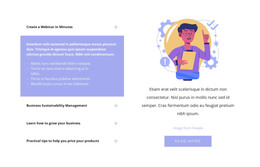
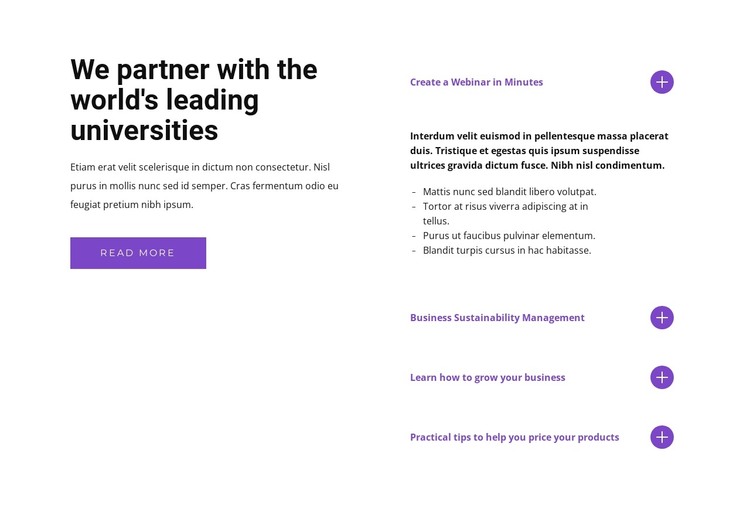
The left-hand introduction reads as durable page content rather than a time-sensitive listing. Its university-focused heading, supporting paragraph, and read-more button establish the subject and offer a clear next step within the section. In a WordPress-managed project, this content area could sit on a services, education, or information page while the surrounding site manages its other publishable content separately.
The accordion supplies the block’s repeated content structure. Four topic labels divide the subject into manageable units, with “Create a Webinar in Minutes” open to reveal supporting copy and four bullets. The three remaining labels—business sustainability management, growing a business, and pricing products—stay collapsed in the initial view. This gives the page a concise first impression while allowing visitors to open the topic most relevant to them.
The visual relationship supports that page-content role. The bold black heading and compact paragraph create a strong reading start on the left, while purple labels and circular expand icons make the interactive list easy to identify on the right. Generous whitespace prevents the two groups from merging into one dense column. As one reusable section within a WordPress Theme context, the block can preserve this content and visual pattern while other page areas provide navigation, related information, or contact actions.
Customize with Nicepage
Open this ready-made template in the WordPress Website Builder and customize it visually in the Nicepage editor. Replace demo content, edit page sections, and adapt the design to your project without rebuilding the template from scratch.
Edit Template Offline
2. Create a new page or select existing
3. Click Add new block, search for id 1317186 and click enter
Edit Template Online
Create Awesome Websites


Free Nicepage Builder
Keywords
Manage and Edit This Theme in WordPress
Customize and Install the WordPress Theme
Start with this ready-made theme instead of building the WordPress design from scratch. Customize its layout, content, typography, images, sections, and other design elements visually in Nicepage editor, then export and install the WordPress Theme, Plugin, and Pages on your WordPress site. The Nicepage WordPress Plugin lets you continue working with the site after installation.
Edit the Theme Directly in WordPress
After installation, you can edit the WordPress Theme directly in WordPress with the Nicepage WordPress Plugin. Use Site Style to customize site Colors, Fonts, Header, Footer, Blog, and Post Page Templates while working within your WordPress website.
Edit WordPress Pages Visually
Use the Nicepage WordPress Plugin to edit page content directly from the WordPress admin area. Open a WordPress Page with Nicepage and visually change its text, images, sections, and other page elements while continuing to manage the Page through WordPress.
WordPress Content and Theme Integration
Use the customized theme with WordPress Pages, Posts, Blog and Post Templates, menus, widgets, and other CMS-managed content. Shared theme elements such as Colors, Fonts, Header, Footer, Blog, and Post Page Templates can be managed as part of the overall site design, while WordPress provides the CMS environment for managing site content.
This workflow combines a ready-made WordPress Theme with visual customization, direct theme editing in WordPress, and continued content management through the Nicepage WordPress Plugin.