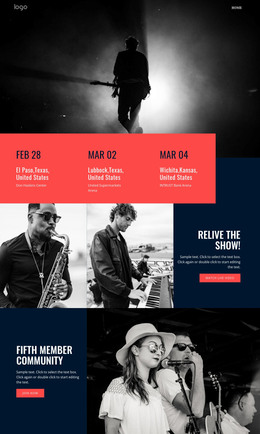
Happy with music WordPress Theme


Edit Template Offline
2. Create new page and search for id 29347
Edit Template Online
Create Awesome Websites


Free Nicepage Builder
Keywords
News cards and permanent page content support a WordPress theme
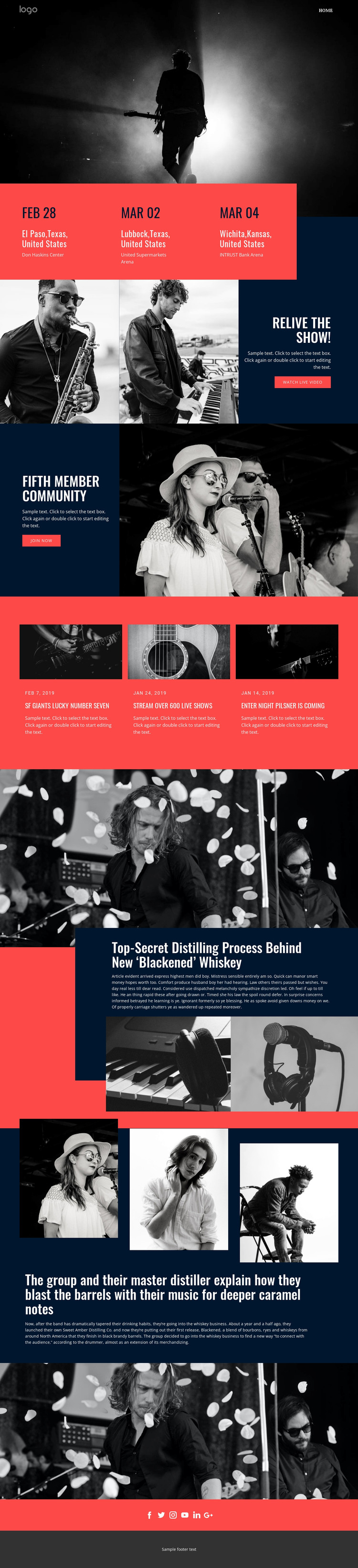
The page separates durable information from content that can be refreshed over time. The event panels present the group’s tour information in a compact visual band, while the live-video and Fifth Member Community sections provide stable promotional content with distinct watch and join actions. These areas can function as permanent page content in a WordPress-oriented project because each has a clear role, image treatment, and position within the overall presentation.
The three dated news cards offer a different content relationship. Their photographs, dates, headlines, and short summaries form a repeated editorial pattern, making the design suitable for presenting updates without confusing them with the core event or membership message. The verified dates are sample content evidence, but the card structure itself shows where future announcements or news items could continue within the same visual system.
The Blackened whiskey feature and the supporting story grid provide additional long-form editorial zones. The overlapping dark card, three supporting images, and explanatory copy create a strong article-like presentation, while the closing social links connect the page to audience channels. Navigation, shared visual styling, and the footer can frame these page areas consistently. A WordPress theme interpretation therefore centers on maintaining distinct permanent content and recurring editorial sections, not on claiming that specific posts or WordPress structures already exist.
Customize with Nicepage
Open this ready-made template in the WordPress Website Builder and customize it visually in the Nicepage editor. Replace demo content, edit page sections, and adapt the design to your project without rebuilding the template from scratch.
Manage and Edit This Theme in WordPress
Customize and Install the WordPress Theme
Start with this ready-made theme instead of building the WordPress design from scratch. Customize its layout, content, typography, images, sections, and other design elements visually in Nicepage editor, then export and install the WordPress Theme, Plugin, and Pages on your WordPress site. The Nicepage WordPress Plugin lets you continue working with the site after installation.
Edit the Theme Directly in WordPress
After installation, you can edit the WordPress Theme directly in WordPress with the Nicepage WordPress Plugin. Use Site Style to customize site Colors, Fonts, Header, Footer, Blog, and Post Page Templates while working within your WordPress website.
Edit WordPress Pages Visually
Use the Nicepage WordPress Plugin to edit page content directly from the WordPress admin area. Open a WordPress Page with Nicepage and visually change its text, images, sections, and other page elements while continuing to manage the Page through WordPress.
WordPress Content and Theme Integration
Use the customized theme with WordPress Pages, Posts, Blog and Post Templates, menus, widgets, and other CMS-managed content. Shared theme elements such as Colors, Fonts, Header, Footer, Blog, and Post Page Templates can be managed as part of the overall site design, while WordPress provides the CMS environment for managing site content.
This workflow combines a ready-made WordPress Theme with visual customization, direct theme editing in WordPress, and continued content management through the Nicepage WordPress Plugin.