Simple rules WordPress Theme


Stable service content for a WordPress-managed page
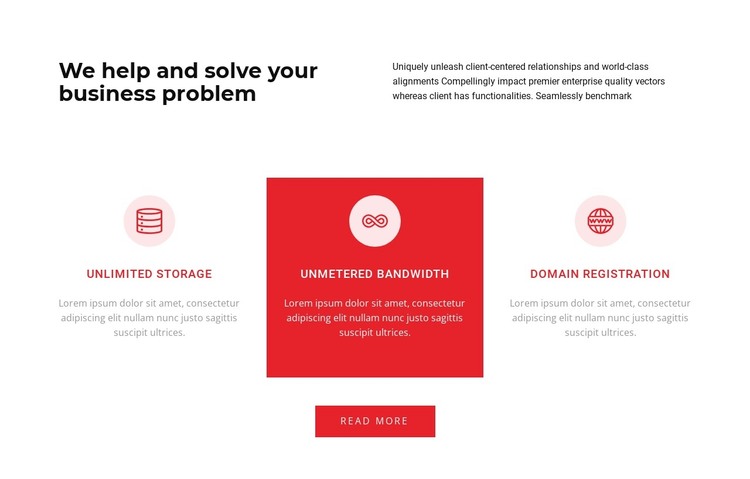
The block reads as durable page content because its main subject is a concise explanation of three business-service features. The heading “We help and solve your business problem” introduces the topic, and the adjacent supporting paragraph provides context before the repeated service information. This makes the opening useful as a defined content region rather than time-sensitive editorial material.
The feature row contains three structured items: Unlimited storage, Unmetered bandwidth, and Domain registration. Each item combines an icon, a title, and descriptive text, so the service information can remain visually consistent when placed within a WordPress-managed page. The solid red panel behind the center feature gives the group a deliberate emphasis point, while the two-column introduction and centered button preserve the section’s overall hierarchy. The layout is static, keeping all three service areas visible together.
The Read more button below the row offers a natural route to additional page content. In a WordPress-oriented project, this block can serve as a stable services or features section while the wider site manages other publishable content around it. The section contributes its own content and presentation pattern; it does not represent the complete WordPress theme or the entire CMS-managed site.
Customize with Nicepage
Open this ready-made template in the WordPress Website Builder and customize it visually in the Nicepage editor. Replace demo content, edit page sections, and adapt the design to your project without rebuilding the template from scratch.
Edit Template Offline
2. Create a new page or select existing
3. Click Add new block, search for id 1230581 and click enter
Edit Template Online
Create Awesome Websites


Free Nicepage Builder
Keywords
Manage and Edit This Theme in WordPress
Customize and Install the WordPress Theme
Start with this ready-made theme instead of building the WordPress design from scratch. Customize its layout, content, typography, images, sections, and other design elements visually in Nicepage editor, then export and install the WordPress Theme, Plugin, and Pages on your WordPress site. The Nicepage WordPress Plugin lets you continue working with the site after installation.
Edit the Theme Directly in WordPress
After installation, you can edit the WordPress Theme directly in WordPress with the Nicepage WordPress Plugin. Use Site Style to customize site Colors, Fonts, Header, Footer, Blog, and Post Page Templates while working within your WordPress website.
Edit WordPress Pages Visually
Use the Nicepage WordPress Plugin to edit page content directly from the WordPress admin area. Open a WordPress Page with Nicepage and visually change its text, images, sections, and other page elements while continuing to manage the Page through WordPress.
WordPress Content and Theme Integration
Use the customized theme with WordPress Pages, Posts, Blog and Post Templates, menus, widgets, and other CMS-managed content. Shared theme elements such as Colors, Fonts, Header, Footer, Blog, and Post Page Templates can be managed as part of the overall site design, while WordPress provides the CMS environment for managing site content.
This workflow combines a ready-made WordPress Theme with visual customization, direct theme editing in WordPress, and continued content management through the Nicepage WordPress Plugin.