Burger Menu Template


Edit Template Offline
2. Create new page and search for id 89239
Edit Template Online
Create Awesome Websites


Free Nicepage Builder
Keywords
Three Burger Choices Keep the Design Focused on the Meal Offer
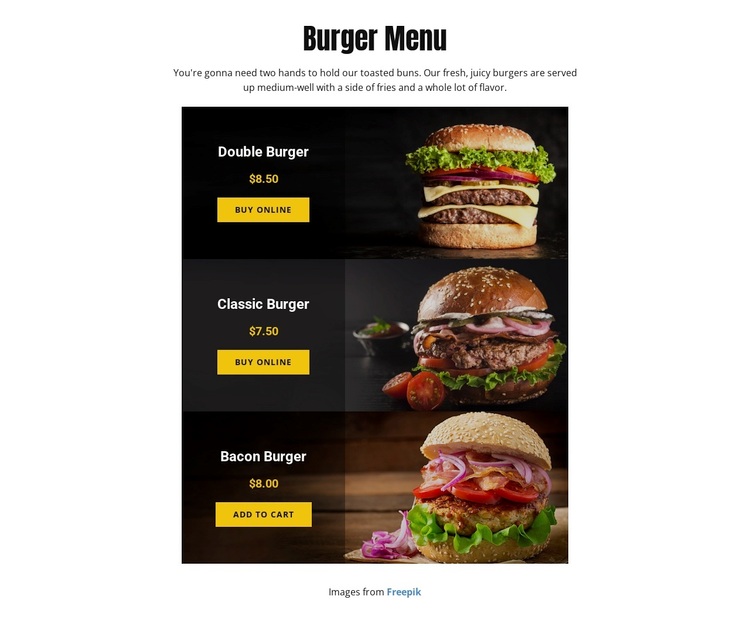
The strongest reason to choose this design is its disciplined product focus. Instead of dividing attention between restaurant history, services, team information, and several promotional sections, the page centers the visitor on three concrete choices: Double Burger, Classic Burger, and Bacon Burger. Their vertically stacked cards use food photography to establish appetite and context, while the names, prices, and ordering actions make the next decision visible within the same compact layout.
The offer is specific enough to compare immediately. The Double Burger is shown at $8.50, the Classic Burger at $7.50, and the Bacon Burger at $8.00, and the page identifies the burgers as served with fries. Those details give the design practical coverage for a small menu while keeping the amount of copy controlled. The repeated card treatment also makes the three meals feel like parts of one selection rather than unrelated promotions.
Its visual character supports the same choice. A narrow centered composition creates a direct reading path, dark food-photo cards give the burgers visual priority, and black overlays provide a stable surface for bold text and warm yellow-orange accents. This makes the template a useful option for a restaurant project that needs a menu-first presentation with online ordering actions, rather than a broad corporate food website or an information-heavy dining guide.
Customize with Nicepage
Open this ready-made template in the Template Builder and customize it visually in the Nicepage editor. Replace demo content, edit page sections, and adapt the design to your project without rebuilding the template from scratch.
Start With a Ready-Made Template
Choose a Design for a New Page
Use a ready-made template as a starting point instead of creating every page from a blank canvas. When adding a new page in Nicepage, browse available designs, compare different layouts, and choose an option that already fits the general purpose and visual direction of your project.
Browse Different Page Designs
Explore Page Designs using search, thematic categories, Design Sets, and full-page previews. The collection includes layouts for different subjects and page purposes, making it easier to compare alternatives before selecting a design to customize.
Customize the Selected Template
After choosing a design, create the page and continue editing it visually in Nicepage. Replace the demo content, adjust images, typography, colors, sections, and other elements, and adapt the ready-made layout to your own content instead of rebuilding the design from the beginning.
Explore More Design Directions
If the first option does not match your project closely enough, return to the design collection and compare other templates before committing to a layout. This makes the template library useful not only for faster page creation, but also for exploring different visual approaches and finding a suitable starting point for a new project.
This workflow gives you access to a broad collection of ready-made designs that can be selected, compared, and customized according to the needs of each new page or project.