Eat best organic food Template


Edit Template Offline
2. Create new page and search for id 17318
Edit Template Online
Create Awesome Websites


Free Nicepage Builder
Keywords
Three Farming Methods Meet Produce-Focused Storytelling
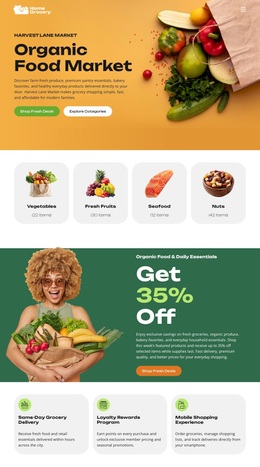
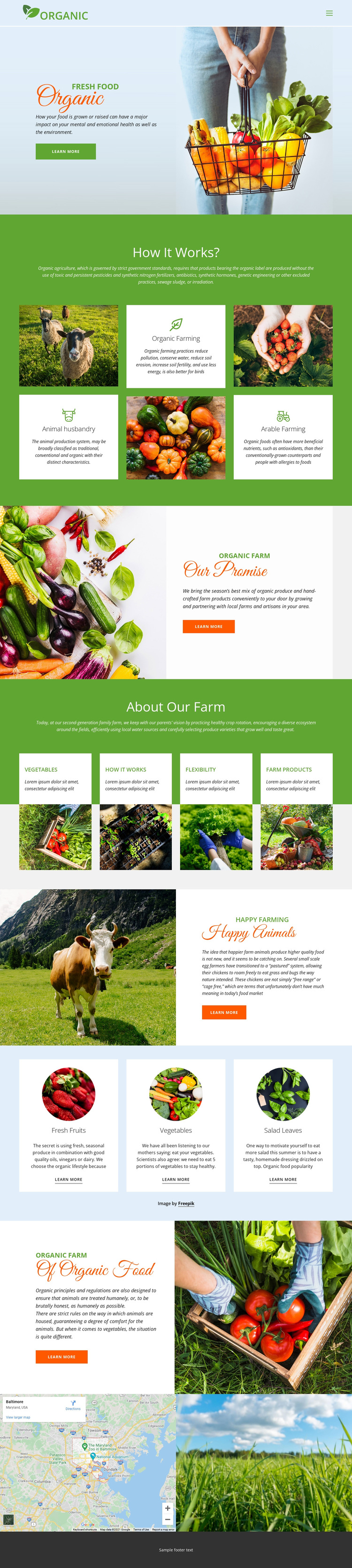
The strongest reason to choose this design is its combination of educational content and visible farm-product context. The Organic hero establishes the subject with a produce photograph, while the How it Works? section gives the page a distinctive explanatory core through three feature cards for animal husbandry, organic farming, and arable farming. That relationship makes the design suitable for projects that need to explain practices rather than display products without background.
The page also covers the farm’s promise, crop rotation, ecosystem, and water use, so its content is not limited to a single sales message. The Happy Animals section adds a human-readable welfare story, and the three circular category cards make fresh fruits, vegetables, and salad leaves easy to recognize as featured produce areas. Four additional agricultural images reinforce the visual subject without replacing the explanatory sections. Green headers and full-width panels create continuity, while light blue and white card groups introduce contrast and help separate categories. A map near the bottom gives the page a local orientation. Together, these facts make the template a useful option for an organic farm, produce project, or agricultural presentation that needs visual freshness, method-focused explanation, product categories, and repeated learn-more routes in one coherent design.
Customize with Nicepage
Open this ready-made template in the Template Builder and customize it visually in the Nicepage editor. Replace demo content, edit page sections, and adapt the design to your project without rebuilding the template from scratch.
Start With a Ready-Made Template
Choose a Design for a New Page
Use a ready-made template as a starting point instead of creating every page from a blank canvas. When adding a new page in Nicepage, browse available designs, compare different layouts, and choose an option that already fits the general purpose and visual direction of your project.
Browse Different Page Designs
Explore Page Designs using search, thematic categories, Design Sets, and full-page previews. The collection includes layouts for different subjects and page purposes, making it easier to compare alternatives before selecting a design to customize.
Customize the Selected Template
After choosing a design, create the page and continue editing it visually in Nicepage. Replace the demo content, adjust images, typography, colors, sections, and other elements, and adapt the ready-made layout to your own content instead of rebuilding the design from the beginning.
Explore More Design Directions
If the first option does not match your project closely enough, return to the design collection and compare other templates before committing to a layout. This makes the template library useful not only for faster page creation, but also for exploring different visual approaches and finding a suitable starting point for a new project.
This workflow gives you access to a broad collection of ready-made designs that can be selected, compared, and customized according to the needs of each new page or project.