Educational library Template


A Library Hero With Image-Led Editorial Contrast
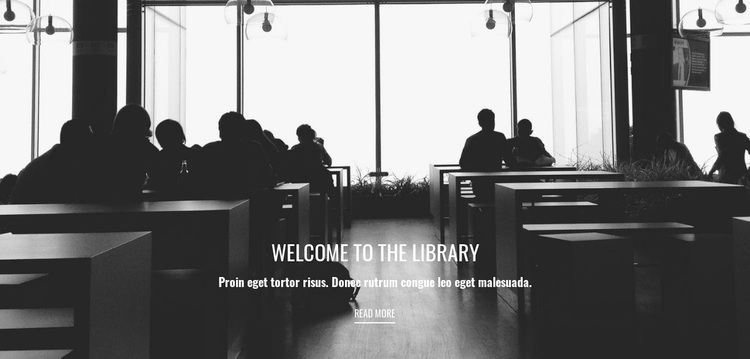
The strongest reason to choose this block is the way it combines a subject-specific image with a compact, centered message. The monochrome library interior gives the section more visual character than a plain text introduction, while the heading “Welcome to the library” makes its purpose immediately legible. One supporting paragraph adds context without creating a dense content area, and the bordered “read more” link supplies a restrained way to continue.
The composition is also defined by its balance. Dark foreground silhouettes and open areas in the photograph support the white type, while the low placement of the text leaves generous negative space around the message. The larger heading establishes an entry point, the paragraph follows naturally, and the link creates a visible endpoint. That combination is useful when a page needs a library-focused opening with more visual emphasis than a conventional text block but less complexity than a multi-item grid or interactive component. As a ready-made section choice, it provides a clear image, hierarchy, and action in one reusable region; the surrounding page can then add detailed educational content or other functions without changing this block’s focused role.
Customize with Nicepage
Open this ready-made template in the Template Builder and customize it visually in the Nicepage editor. Replace demo content, edit page sections, and adapt the design to your project without rebuilding the template from scratch.
Edit Template Offline
2. Create a new page or select existing
3. Click Add new block, search for id 55654 and click enter
Edit Template Online
Create Awesome Websites


Free Nicepage Builder
Keywords
Start With a Ready-Made Template
Choose a Design for a New Page
Use a ready-made template as a starting point instead of creating every page from a blank canvas. When adding a new page in Nicepage, browse available designs, compare different layouts, and choose an option that already fits the general purpose and visual direction of your project.
Browse Different Page Designs
Explore Page Designs using search, thematic categories, Design Sets, and full-page previews. The collection includes layouts for different subjects and page purposes, making it easier to compare alternatives before selecting a design to customize.
Customize the Selected Template
After choosing a design, create the page and continue editing it visually in Nicepage. Replace the demo content, adjust images, typography, colors, sections, and other elements, and adapt the ready-made layout to your own content instead of rebuilding the design from the beginning.
Explore More Design Directions
If the first option does not match your project closely enough, return to the design collection and compare other templates before committing to a layout. This makes the template library useful not only for faster page creation, but also for exploring different visual approaches and finding a suitable starting point for a new project.
This workflow gives you access to a broad collection of ready-made designs that can be selected, compared, and customized according to the needs of each new page or project.