Ranking university education Template


Edit Template Offline
2. Create new page and search for id 16526
Edit Template Online
Create Awesome Websites


Free Nicepage Builder
Keywords
Rankings, Student News, and University Discovery Share One Direction
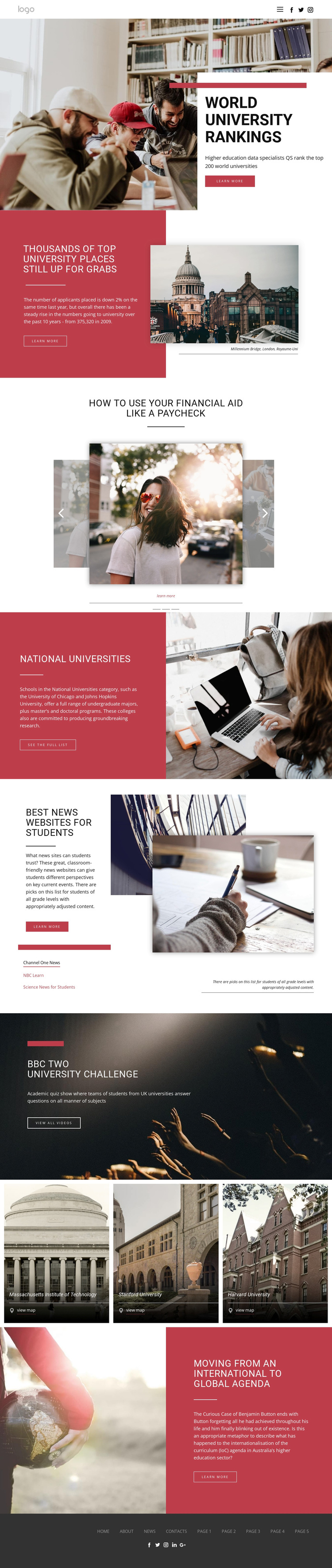
University rankings provide the clearest reason to choose this design, but the page extends that subject into several connected forms of education content. The opening rankings feature establishes a research-oriented purpose, while the admissions story adds a timely editorial angle. The three related story slides then broaden the material through financial aid, continuing education, and mentor topics, making the design more useful than a page limited to a single ranking list.
Its content coverage is another distinguishing quality. The National Universities feature introduces category information, and the student news section names Channel One News, NBC Learn, and Science News for Students as resource destinations. The BBC Two University Challenge block adds education-related video, while the three university listings for Massachusetts Institute of Technology, Stanford University, and Harvard University support institution-focused discovery through map actions.
The visual direction reinforces this editorial range. Large photographs carry context, muted red panels mark selected stories, and white content areas preserve readability across the long layout. This combination suits an education publication, student resource hub, or ranking-focused information site that needs to mix articles, directories, links, and media. It stands apart from a design centered only on a course offer, a school brochure, or a single conversion form.
Customize with Nicepage
Open this ready-made template in the Template Builder and customize it visually in the Nicepage editor. Replace demo content, edit page sections, and adapt the design to your project without rebuilding the template from scratch.
Start With a Ready-Made Template
Choose a Design for a New Page
Use a ready-made template as a starting point instead of creating every page from a blank canvas. When adding a new page in Nicepage, browse available designs, compare different layouts, and choose an option that already fits the general purpose and visual direction of your project.
Browse Different Page Designs
Explore Page Designs using search, thematic categories, Design Sets, and full-page previews. The collection includes layouts for different subjects and page purposes, making it easier to compare alternatives before selecting a design to customize.
Customize the Selected Template
After choosing a design, create the page and continue editing it visually in Nicepage. Replace the demo content, adjust images, typography, colors, sections, and other elements, and adapt the ready-made layout to your own content instead of rebuilding the design from the beginning.
Explore More Design Directions
If the first option does not match your project closely enough, return to the design collection and compare other templates before committing to a layout. This makes the template library useful not only for faster page creation, but also for exploring different visual approaches and finding a suitable starting point for a new project.
This workflow gives you access to a broad collection of ready-made designs that can be selected, compared, and customized according to the needs of each new page or project.