Online Quran Reading Template


Edit Template Offline
2. Create new page and search for id 6659309
Edit Template Online
Create Awesome Websites


Free Nicepage Builder
Keywords
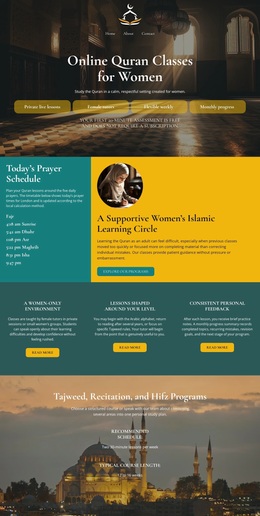
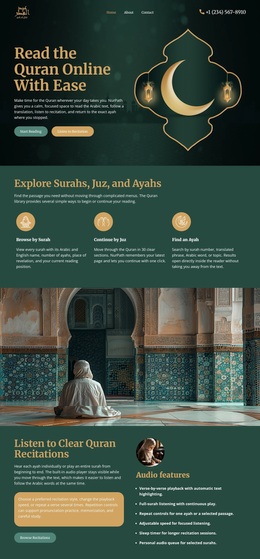
Surah Paths and Devotional Imagery Give This Quran Design a Distinct Direction
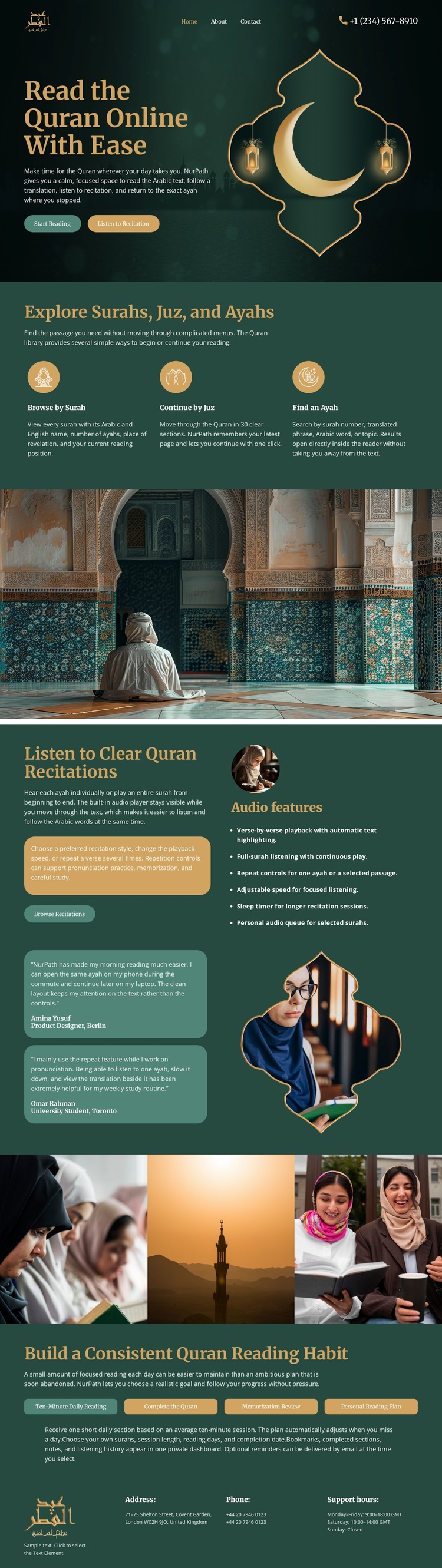
The three-part exploration group is one of the clearest reasons to choose this design. Rather than treating Quran learning as a single undifferentiated service, it names three practical paths: Browse by Surah, Continue by Juz, and Find an Ayah. That structure gives the page useful content coverage for visitors who may approach reading in different ways.
The visual direction reinforces those choices. A dark hero with crescent and lantern imagery creates a calm introduction, while the wide mosque photograph supplies a strong transition into the recitation content. The listening section then changes the emphasis from browsing to audio, using explanatory copy, quote-like cards, an audio feature list, and an illustration. A four-tile devotional strip continues the imagery-led character without replacing the informational sections.
The design also covers a less immediate but important use case: developing a consistent reading habit. The lower panel, progress-style labels, and Reading Plan button give the page a practical continuation after the visitor has explored or listened. This combination of exploration, recitation, devotional atmosphere, and regular-practice guidance makes the template a useful option for Quran learning resources that need more than a simple religious hero. Its value lies in the relationship between clearly named content paths and a visual tone that supports focused study.
Customize with Nicepage
Open this ready-made template in the Template Builder and customize it visually in the Nicepage editor. Replace demo content, edit page sections, and adapt the design to your project without rebuilding the template from scratch.
Start With a Ready-Made Template
Choose a Design for a New Page
Use a ready-made template as a starting point instead of creating every page from a blank canvas. When adding a new page in Nicepage, browse available designs, compare different layouts, and choose an option that already fits the general purpose and visual direction of your project.
Browse Different Page Designs
Explore Page Designs using search, thematic categories, Design Sets, and full-page previews. The collection includes layouts for different subjects and page purposes, making it easier to compare alternatives before selecting a design to customize.
Customize the Selected Template
After choosing a design, create the page and continue editing it visually in Nicepage. Replace the demo content, adjust images, typography, colors, sections, and other elements, and adapt the ready-made layout to your own content instead of rebuilding the design from the beginning.
Explore More Design Directions
If the first option does not match your project closely enough, return to the design collection and compare other templates before committing to a layout. This makes the template library useful not only for faster page creation, but also for exploring different visual approaches and finding a suitable starting point for a new project.
This workflow gives you access to a broad collection of ready-made designs that can be selected, compared, and customized according to the needs of each new page or project.