Global modern architecture Template


Edit Template Offline
2. Create new page and search for id 34994
Edit Template Online
Create Awesome Websites


Free Nicepage Builder
Keywords
A Castle-Ground Cottage Story Anchored by Coastal Photography
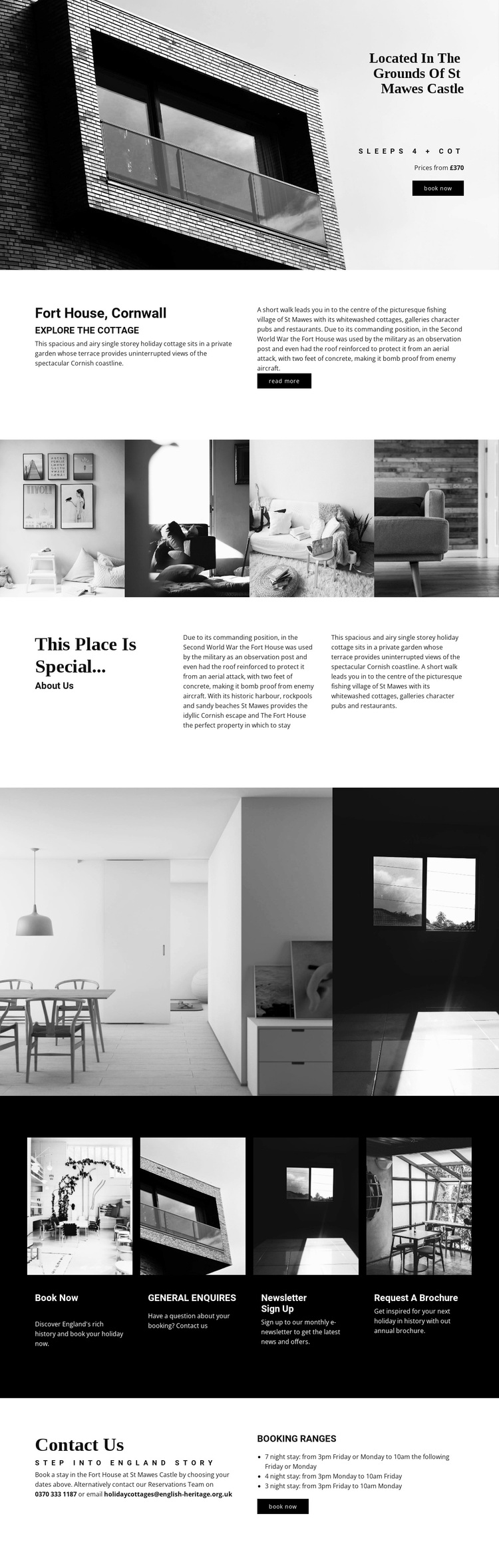
The strongest reason to choose this design is the way it lets place carry the accommodation message. The St Mawes Castle setting appears at the opening, where a large monochrome property image is paired with the Fort House name, occupancy detail, price reference, and booking action. Rather than beginning with a dense list of facilities, the page first establishes a memorable location and a clear sense of the property’s character.
The content then supports that visual direction with two kinds of explanation. The split Fort House section introduces the coastal accommodation and adds historical background, while the “This place is special...” section develops the building’s military story and St Mawes as a coastal escape. The four-image property strip and the smaller interior gallery give the design enough visual coverage to suit a rental project where photographs are central to decision-making.
The lower half adds practical breadth without losing the editorial tone. Four dark cards distinguish Book now, General enquiries, Newsletter sign up, and Request a brochure, and the final area explains reservations and seven-night, four-night, and three-night booking ranges. This makes the design a useful choice for a distinctive holiday property that needs atmosphere, history, visual evidence, and booking direction in one focused presentation. Its appeal comes from the relationship between story and action, not from generic accommodation claims.
Customize with Nicepage
Open this ready-made template in the Template Builder and customize it visually in the Nicepage editor. Replace demo content, edit page sections, and adapt the design to your project without rebuilding the template from scratch.
Start With a Ready-Made Template
Choose a Design for a New Page
Use a ready-made template as a starting point instead of creating every page from a blank canvas. When adding a new page in Nicepage, browse available designs, compare different layouts, and choose an option that already fits the general purpose and visual direction of your project.
Browse Different Page Designs
Explore Page Designs using search, thematic categories, Design Sets, and full-page previews. The collection includes layouts for different subjects and page purposes, making it easier to compare alternatives before selecting a design to customize.
Customize the Selected Template
After choosing a design, create the page and continue editing it visually in Nicepage. Replace the demo content, adjust images, typography, colors, sections, and other elements, and adapt the ready-made layout to your own content instead of rebuilding the design from the beginning.
Explore More Design Directions
If the first option does not match your project closely enough, return to the design collection and compare other templates before committing to a layout. This makes the template library useful not only for faster page creation, but also for exploring different visual approaches and finding a suitable starting point for a new project.
This workflow gives you access to a broad collection of ready-made designs that can be selected, compared, and customized according to the needs of each new page or project.