Content promotion Template



Edit Template Offline
2. Create new page and search for id 3174048
Edit Template Online
Create Awesome Websites


Free Nicepage Builder
Keywords
Circular Imagery Gives the Company Story a Distinctive Shape
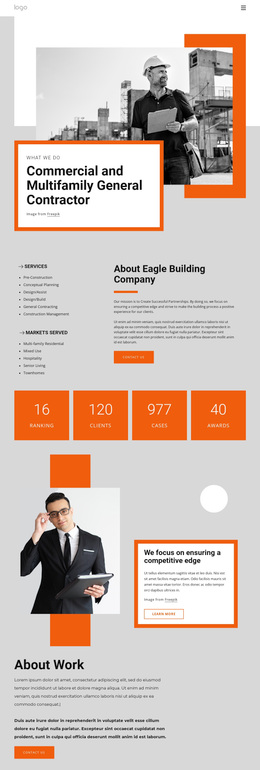
The strongest reason to consider this design is the way it combines a bold visual language with unusually broad company-profile coverage. A circular orange-framed text treatment introduces What We Do over geometric monochrome imagery, establishing a clear identity before the page moves into services and contact content. The three repeated circular service items continue that visual idea in a more informational role, so the opening motif is connected to the page's explanation of what the organization provides.
The layout also balances organizational information with human and chronological material. Four circular portraits create a recognizable people-focused group, while four year-labeled milestones from 2019 through 2022 give the page a history-oriented section. The quote card over a black-and-white photograph adds another editorial transition instead of repeating the same card arrangement throughout. Two split profile sections then make room for welcome and Who We Are content alongside portrait imagery.
For projects that need to combine services, identity, people, milestones, social destinations, and inquiries, this is a broader choice than a page centered on one isolated offer. The orange construction-project band and two verified contact forms make response opportunities visible, while the dark bands and white space keep the varied material connected. Because some service imagery and copy are mixed or sample-based, the final content should be adapted to one clearly verified organization.
Customize with Nicepage
Open this ready-made template in the Template Builder and customize it visually in the Nicepage editor. Replace demo content, edit page sections, and adapt the design to your project without rebuilding the template from scratch.
Start With a Ready-Made Template
Choose a Design for a New Page
Use a ready-made template as a starting point instead of creating every page from a blank canvas. When adding a new page in Nicepage, browse available designs, compare different layouts, and choose an option that already fits the general purpose and visual direction of your project.
Browse Different Page Designs
Explore Page Designs using search, thematic categories, Design Sets, and full-page previews. The collection includes layouts for different subjects and page purposes, making it easier to compare alternatives before selecting a design to customize.
Customize the Selected Template
After choosing a design, create the page and continue editing it visually in Nicepage. Replace the demo content, adjust images, typography, colors, sections, and other elements, and adapt the ready-made layout to your own content instead of rebuilding the design from the beginning.
Explore More Design Directions
If the first option does not match your project closely enough, return to the design collection and compare other templates before committing to a layout. This makes the template library useful not only for faster page creation, but also for exploring different visual approaches and finding a suitable starting point for a new project.
This workflow gives you access to a broad collection of ready-made designs that can be selected, compared, and customized according to the needs of each new page or project.