Travel Live Template


Edit Template Offline
2. Create new page and search for id 29758
Edit Template Online
Create Awesome Websites


Free Nicepage Builder
Keywords
A Seven-Image Mosaic Gives This Travel Design Its Strongest Character
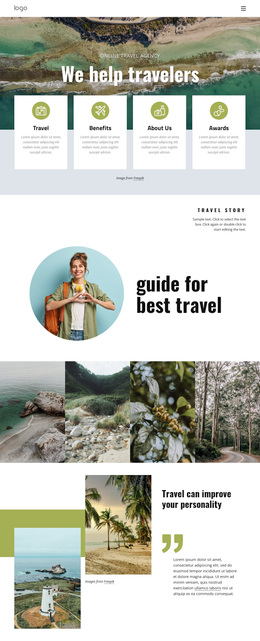
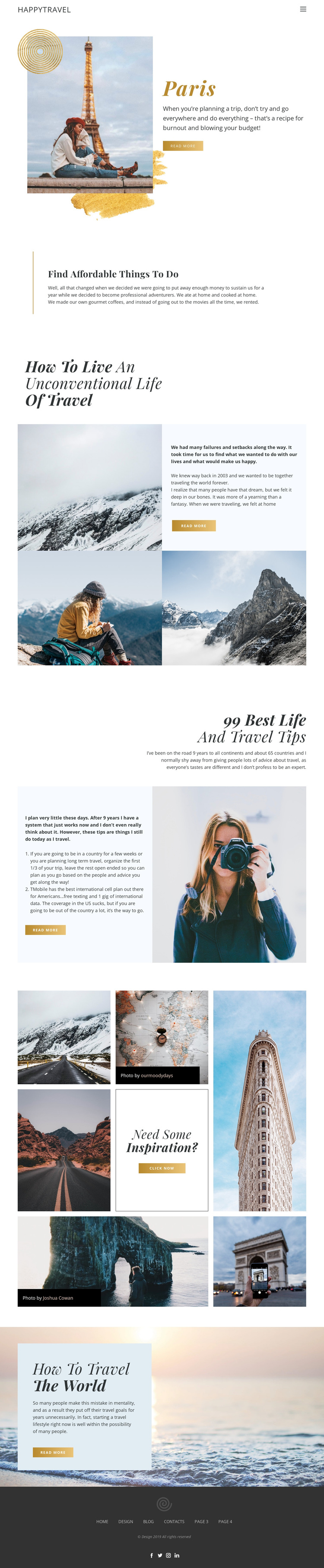
The seven-image travel mosaic is the most distinctive visual feature of this option. Rather than relying only on a single hero image, the page uses varied destination photographs, small credit overlays, and a central “Need some Inspiration?” prompt to make visual discovery part of the editorial message. That choice suits projects where travel atmosphere and image-led browsing should carry as much weight as explanatory text.
The surrounding content gives the imagery a practical context. Paris supplies a specific destination opening, while “Find Affordable Things to do” introduces useful guidance for readers who want actionable travel ideas. The personal story about an unconventional life of travel adds a lifestyle perspective, and the ordered “99 Best Life and Travel Tips” section gives the page a substantial advice feature rather than a purely promotional presentation. Read-more actions recur across these areas, connecting short introductions with the possibility of deeper content.
The closing ocean image and “How to travel the world” heading extend the same visual direction toward an encouraging final note. A compact header and dark footer with social icons keep the overall presentation recognizable without competing with the photography. Among ready-made travel options, this design is especially suitable when a project needs to combine destination atmosphere, practical tips, personal storytelling, and a strong gallery-led moment on one page.
Customize with Nicepage
Open this ready-made template in the Template Builder and customize it visually in the Nicepage editor. Replace demo content, edit page sections, and adapt the design to your project without rebuilding the template from scratch.
Start With a Ready-Made Template
Choose a Design for a New Page
Use a ready-made template as a starting point instead of creating every page from a blank canvas. When adding a new page in Nicepage, browse available designs, compare different layouts, and choose an option that already fits the general purpose and visual direction of your project.
Browse Different Page Designs
Explore Page Designs using search, thematic categories, Design Sets, and full-page previews. The collection includes layouts for different subjects and page purposes, making it easier to compare alternatives before selecting a design to customize.
Customize the Selected Template
After choosing a design, create the page and continue editing it visually in Nicepage. Replace the demo content, adjust images, typography, colors, sections, and other elements, and adapt the ready-made layout to your own content instead of rebuilding the design from the beginning.
Explore More Design Directions
If the first option does not match your project closely enough, return to the design collection and compare other templates before committing to a layout. This makes the template library useful not only for faster page creation, but also for exploring different visual approaches and finding a suitable starting point for a new project.
This workflow gives you access to a broad collection of ready-made designs that can be selected, compared, and customized according to the needs of each new page or project.