Happiness of best education Template



Edit Template Offline
2. Create new page and search for id 29376
Edit Template Online
Create Awesome Websites


Free Nicepage Builder
Keywords
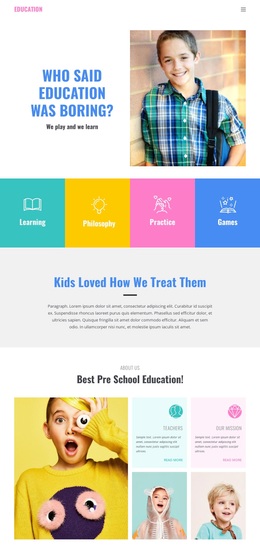
Four Learning Topics Lead Into a Broad Preschool Presentation
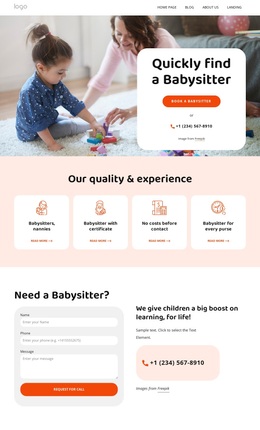
Large child photography carries much of the opening message, while the four colored tiles for Learning, Philosophy, Practice, and Games make the educational direction immediately recognizable. This combination suits a preschool project that needs to communicate energy and imagination before moving into more practical information. The bright blocks and compact supporting text keep the page informal without removing the subjects parents need to investigate.
The design also covers several sides of the preschool experience. Our Mission and Teachers appear as separate cards, the service section presents Environment, Active Learning, Creative Lessons, and Qualified Teacher, and the innovative teaching block explains an approach through layered child photographs and text. The later qualities section adds Special Education, Professional Teaching, Fully Equiped, and Transportation, giving the page more content coverage than a layout based only on classroom imagery.
A dedicated enrollment heading, a facility-focused image panel, and a final contact row make the design especially relevant when the page must move from atmosphere to practical consideration. The address, telephone number, and email are visibly grouped, while the footer’s four social icons extend the closing presence. These relationships make the template a useful option for preschool projects that want visual storytelling, educational substance, parent-oriented enrollment information, and clear contact access in the same design direction.
Customize with Nicepage
Open this ready-made template in the Template Builder and customize it visually in the Nicepage editor. Replace demo content, edit page sections, and adapt the design to your project without rebuilding the template from scratch.
Start With a Ready-Made Template
Choose a Design for a New Page
Use a ready-made template as a starting point instead of creating every page from a blank canvas. When adding a new page in Nicepage, browse available designs, compare different layouts, and choose an option that already fits the general purpose and visual direction of your project.
Browse Different Page Designs
Explore Page Designs using search, thematic categories, Design Sets, and full-page previews. The collection includes layouts for different subjects and page purposes, making it easier to compare alternatives before selecting a design to customize.
Customize the Selected Template
After choosing a design, create the page and continue editing it visually in Nicepage. Replace the demo content, adjust images, typography, colors, sections, and other elements, and adapt the ready-made layout to your own content instead of rebuilding the design from the beginning.
Explore More Design Directions
If the first option does not match your project closely enough, return to the design collection and compare other templates before committing to a layout. This makes the template library useful not only for faster page creation, but also for exploring different visual approaches and finding a suitable starting point for a new project.
This workflow gives you access to a broad collection of ready-made designs that can be selected, compared, and customized according to the needs of each new page or project.